Do BYD cameras record?
Which models have BYD's own recorder, why the 360° cameras don't record, and recording with all four cameras without buying a dashcam.
Short answer: YouTube came built in to many BYDs with an update; Google Maps is built in only on new models with Google; Netflix, Waze and others are installed separately. The real difference comes with Yoldaş: you bring Google Maps or Waze to the instrument cluster behind the steering wheel, split the centre screen to put the map and Spotify side by side, and open YouTube next to the Yoldaş home screen while charging.
Last updated: November 20, 2026
| App | On a BYD | With Yoldaş |
|---|---|---|
| YouTube | Built in on many models since the July 2025 update (Turkey, Brazil) | While charging, YouTube in one pane and the Yoldaş home screen next to it |
| Netflix | Not in BYD's store; when installed separately, some cars are reported to show a "not supported" warning | Opens in a pane on cars where it can be installed |
| Google Maps | Built in on new models with Google (Atto 2 DM-i, Atto 3 EVO); installed separately on others | Map on the cluster; in a pane on the centre screen |
| Waze | Installed separately | Map on the cluster; in a pane on the centre screen |
| Spotify | Built in in some markets, sign in with a QR code | In a pane next to the map, or the music card on the bottom bar |
| CarPlay, Android Auto | On most models, wired or wireless | On the cluster and in a pane |
To install apps, see the guide to installing an APK on a BYD. Built-in apps can change with updates.
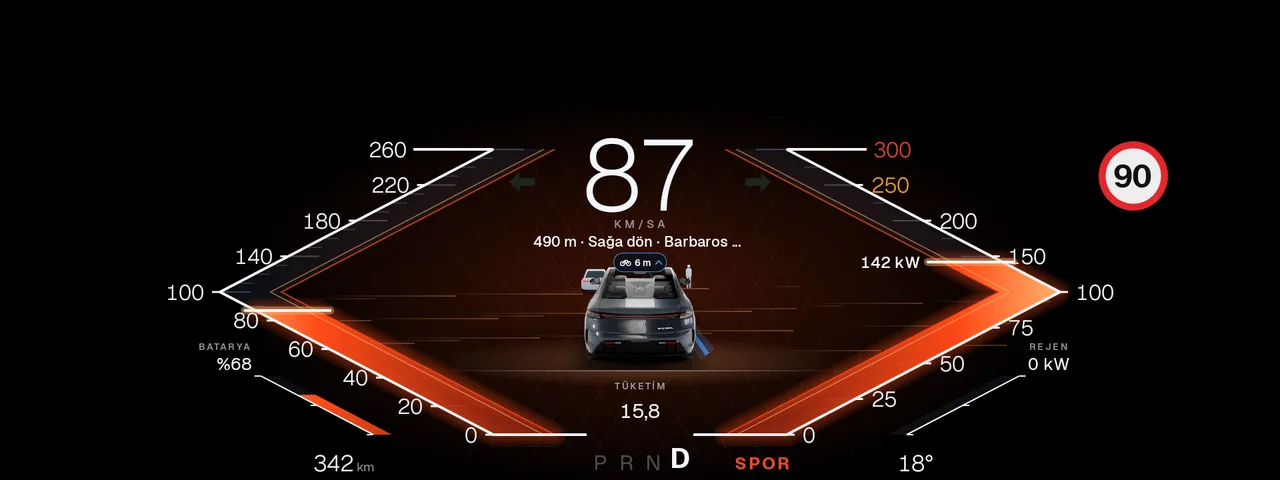
BYD shows CarPlay and map apps only on the centre screen. Yoldaş brings the map app you choose, CarPlay or Android Auto to the screen behind the steering wheel (the instrument cluster); speed and the speed limit sign stay next to it. If you send an address from Yoldaş on your phone, the map in the car opens with the destination.
BYD's centre screen is big, but it is given over to a single app. Yoldaş splits it into two or three panes; in each pane you put an app, CarPlay, Android Auto, the Yoldaş home screen or the On the road scene. You drag the divider between the panes to set the ratio.
You set up separate layouts for parking, driving and charging; they change on their own with the gear and the charging cable.
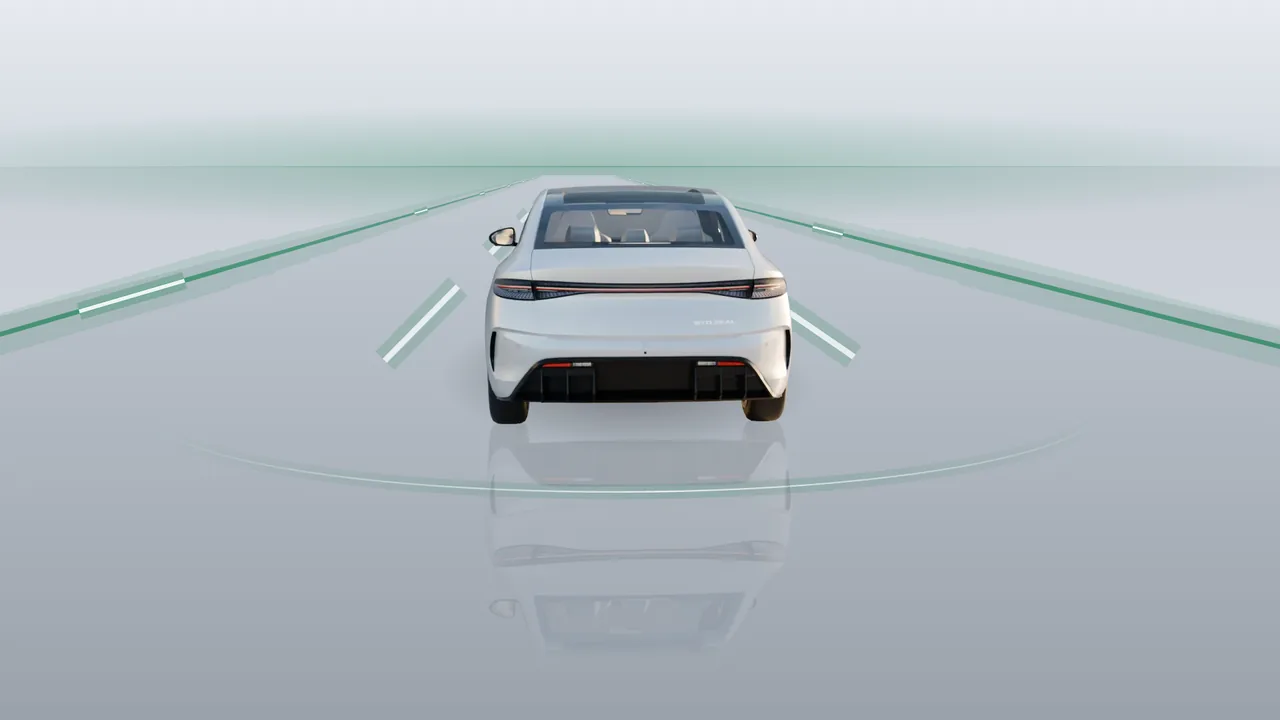
Watch YouTube, Netflix and other video apps only while the car is parked or charging; watching video while driving is dangerous and illegal in many countries.
Yes. With its July 2025 update, BYD brought YouTube built in to models such as the Seal U, Atto 3 and Dolphin in Turkey; the same update was released in Brazil. Watch YouTube only while the car is parked or charging.
Netflix is not in BYD's app store. When it is installed separately, some cars are reported to show a "device not supported" warning. Use video apps only while parked or charging.
On new models with Google built in, such as the Atto 2 DM-i and Atto 3 EVO, Google Maps is built in. On other models, Google Maps and Waze are installed separately. With Yoldaş you can also bring the map app you choose to the instrument cluster behind the steering wheel.
In some markets Spotify comes built into the BYD screen and you sign in with a QR code. If not, it can be installed separately or played from your phone with CarPlay or Android Auto.
Yoldaş splits the screen into two or three panes: Google Maps on one side, Spotify on the other; while charging, YouTube on one side and the Yoldaş home screen on the other.
Which models have BYD's own recorder, why the 360° cameras don't record, and recording with all four cameras without buying a dashcam.
Apps that are useful on the BYD screen for maps, music, video, dashcam and control from your phone.
Which BYDs connect wired or wireless, how to connect, and putting the CarPlay map on the cluster behind the steering wheel.
Which markets have BYD's own sentry mode and which don't; watching your parked car with Yoldaş.
What the error messages mean, what changed in versions after 2310 and how apps get installed on a locked screen.
What a BYD update can do to installed apps, what to save before you install it and how to bring Yoldaş back afterwards.
Ways to open the 360° camera, the transparent chassis view, and watching and recording all four cameras from your phone.
What happens when the 12 V battery dies, how to get in, when BYD charges it on its own, and keeping an eye on the voltage.
Recommended cold tyre pressures model by model (bar, kPa, psi) and how to see the pressure on the screen or on your phone.
What to try against car-adding, connection and service errors in the official BYD app; a phone app independent of BYD.
How to recognize DiLink 5, the two install paths BYD owners use and the settings to turn on after installing.
How to find your DiLink generation and software version, and what the first digits of the version decide in Yoldaş.
Ways to turn the rotating screen to landscape and portrait, which models have a rotating screen, and a shortcut for cars with no steering wheel button.
Copy the APK to a USB stick on your computer and open it on the car screen. Step by step, with the permission prompt and common problems.
Calculate the hash of the APK you downloaded on your computer and compare it with the value on the download page.
A checklist for recording reliability, where data stays, language, installation and update signing.
Learn what triggers, conditions and steps mean, how to set up your first automation and how to import one from a file.
Enter a price for each charge and see trip cost based on what you actually paid.
Free during the pilot. Current version 0.15.33. See the steps in the install guide.