Skip to content
Yoldaş
EN
Download

Yoldaş

Home screen and car app for your BYD

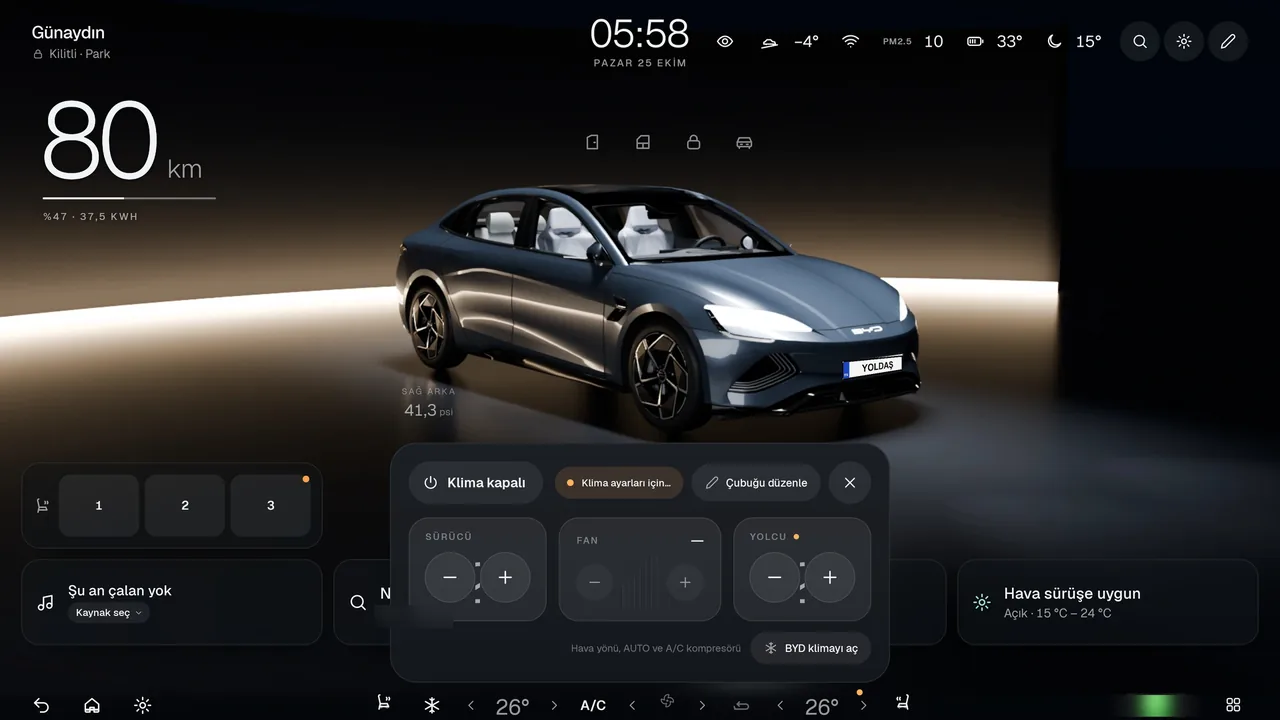
Yoldaş becomes your BYD's home screen: your car in 3D, the widgets you want and your own bottom bar. It sends CarPlay and maps to the cluster, records with the car's own cameras and keeps watch while parked; you monitor and manage your car from your phone.

  • Free during the pilot
  • No ads
  • 16 languages

You're on your phone. Yoldaş is installed on your car's screen; you add the phone app after that.

How to install it in your car
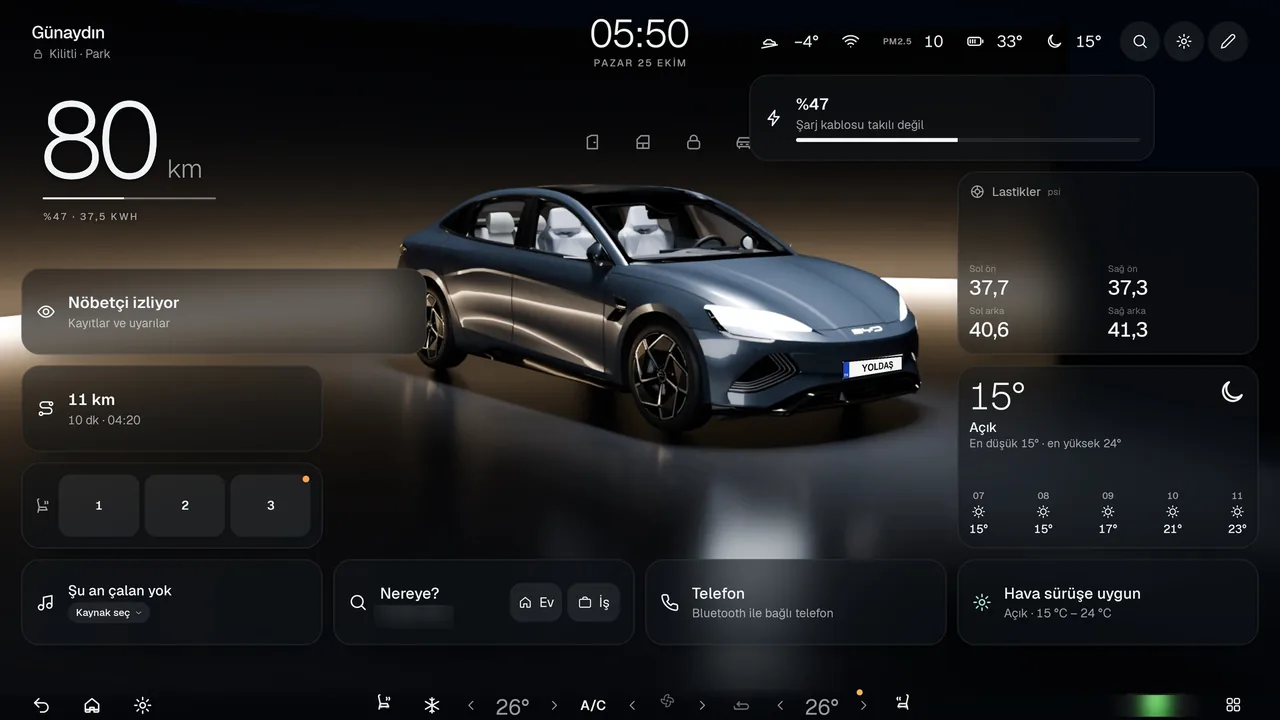
Yoldaş home screen on the BYD center screen: 3D car in the middle, range on the left, music, navigation, phone and weather cards below, the Yoldaş bar at the very bottom

Your screen

Design your own screen and put every detail exactly where you want it

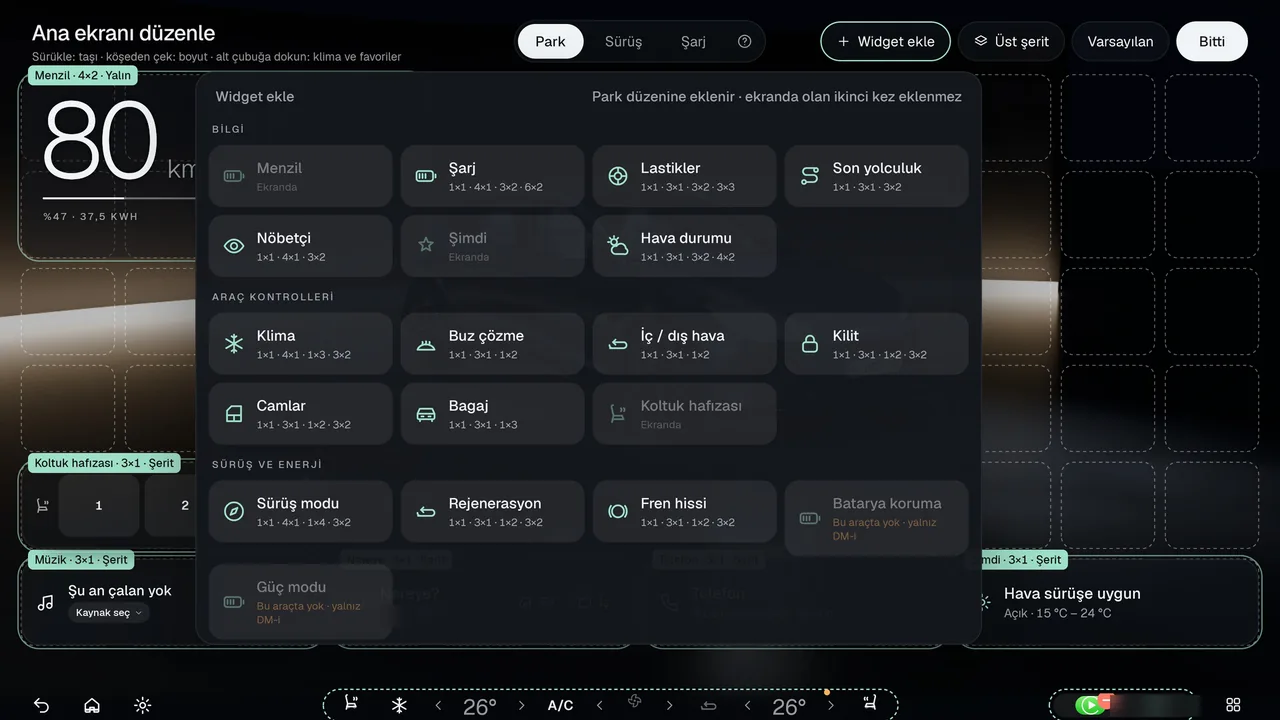
With Yoldaş you're never stuck with a ready-made screen. Drag and resize widgets, move each item in the top strip to the left or right or switch it off, fill the bottom bar with your own shortcuts and split the screen in two or three. Set up a separate screen for parking, driving and charging.

Recorded in a real car · BYD Seal
  • Widgets

    Speed, range, energy, tires, A/C, windows, lock, seat memory, music, weather, automations, CarPlay and more. Drag them anywhere and resize them from the corner.

  • Top strip

    Gear, battery, range, Sentry eye, slope, connections, PM2.5, cabin, battery and outside temperature: each one on the left, on the right or off. Four different styles.

  • Bottom bar

    Back, Home, recent apps, split screen, A/C and your favorite apps. Move buttons, remove them and add new ones.

  • Split screen

    Full screen, two or three panes, side by side or stacked. If you like, split it in D and go full screen in P.

  • Parking, driving, charging

    A separate layout for every situation, switching on its own with the gear and the charging cable. While you drive, your car hits the road in the “On the road” scene.

Cluster

Put the cluster you want behind the wheel

Pick one of Yoldaş's ready-made clusters, add a favorite from the community, or describe your own to an AI and have it ready in minutes. You can also send maps, CarPlay and Android Auto to the cluster.

38 designs

HorizonYoldaş cluster

Your surroundings, on the cluster too

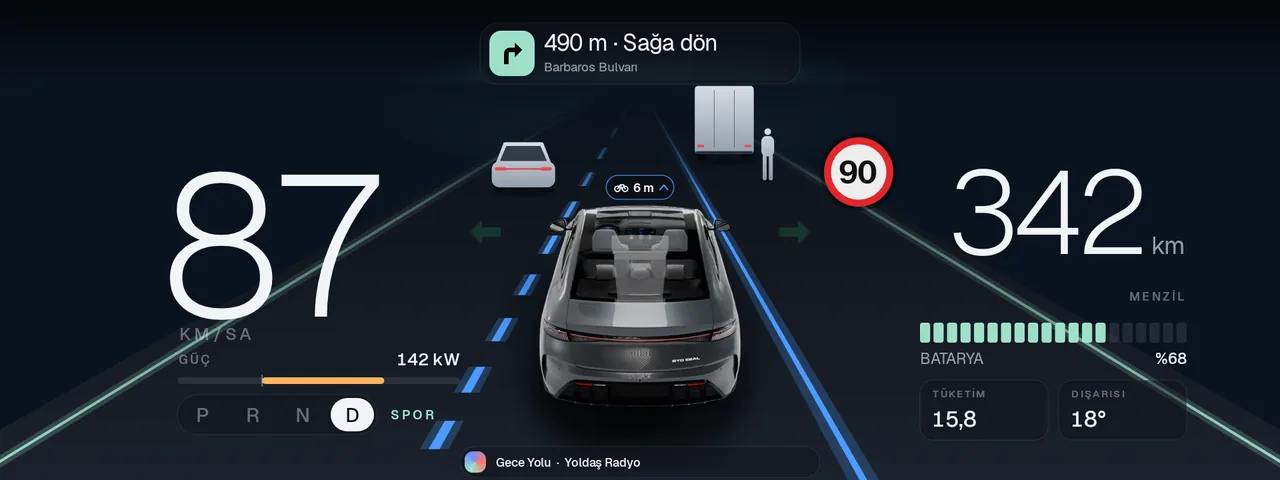
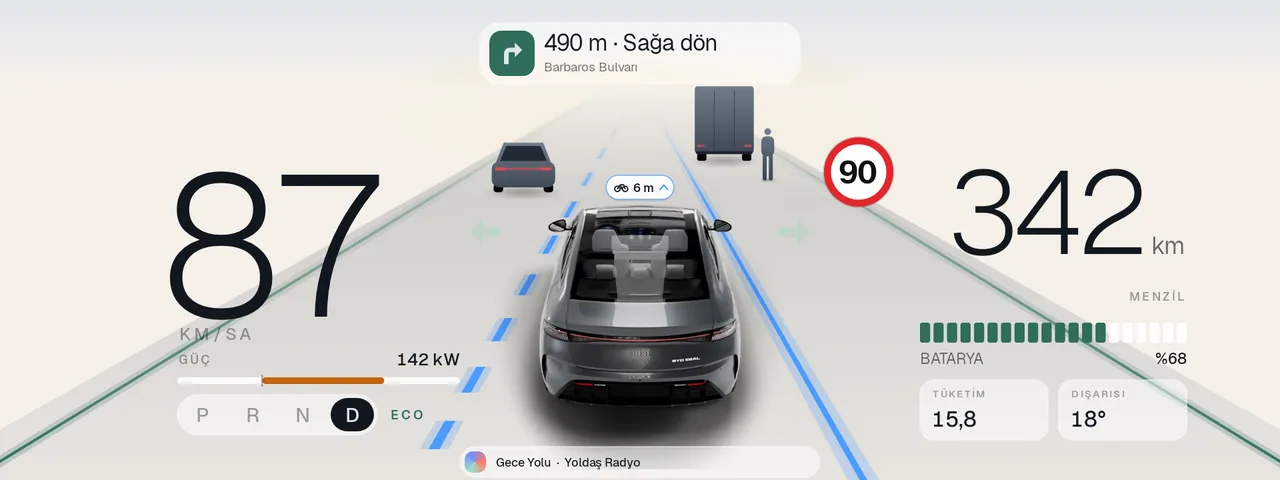
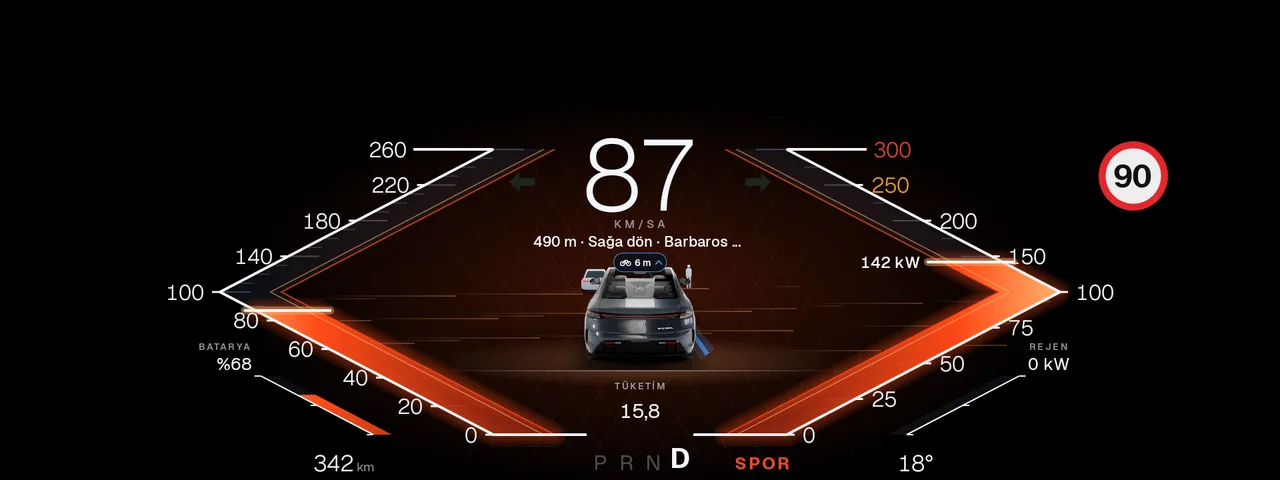
The Horizon and Wing clusters draw what your car detects around you: the car or motorcycle ahead with its distance in meters, the cars, trucks and pedestrians alongside you, plus vehicles in your blind spot and lane warnings.

Horizon: Your surroundings, on the cluster too
Horizon
Horizon · day: Your surroundings, on the cluster too
Horizon · day
Wing: Your surroundings, on the cluster too
Wing

Cluster workshop

Design your own cluster. No design skills needed.

  1. Describe it

    Give the cluster kit to ChatGPT, Gemini or Claude and describe the look you want in your own words: “’80s neon vibes, huge speed in the middle”.

  2. Try it

    Paste the answer into the cluster workshop and watch your cluster run live on a sample drive. If something is wrong, the workshop prepares the fix to send back to the AI.

  3. Send it to your car

    Send it from your phone to your car and pick it under Driver display › Cluster design. Share it with the community if you like, and add other people's designs.

Comes with Yoldaş

New abilities for your car

Cabin engine sound

Yoldaş creates its own engine sound from your speed and throttle. It plays only inside the car, on the media volume; it goes quiet in P, and the external pedestrian warning sound doesn't change.

  • ElectricA futuristic hum that rises with speed
  • V8Deep rumble with virtual gear shifts
  • SpaceA shimmering sci-fi tone

Unlocks as you approach, locks as you walk away

With your phone or your BYD key on you, the car unlocks before you reach the door and locks itself when you walk away. Just switch on the ready-made template. Don't want it at home? It stays off in your safe places.

  • Unlock when the phone approaches
  • Lock when the phone walks away
  • Unlock when the key approaches
  • Lock when the key walks away

You can also lock or unlock with one tap on your phone; the result of every command is read back from the car.

Sentry Mode

Sentry Mode

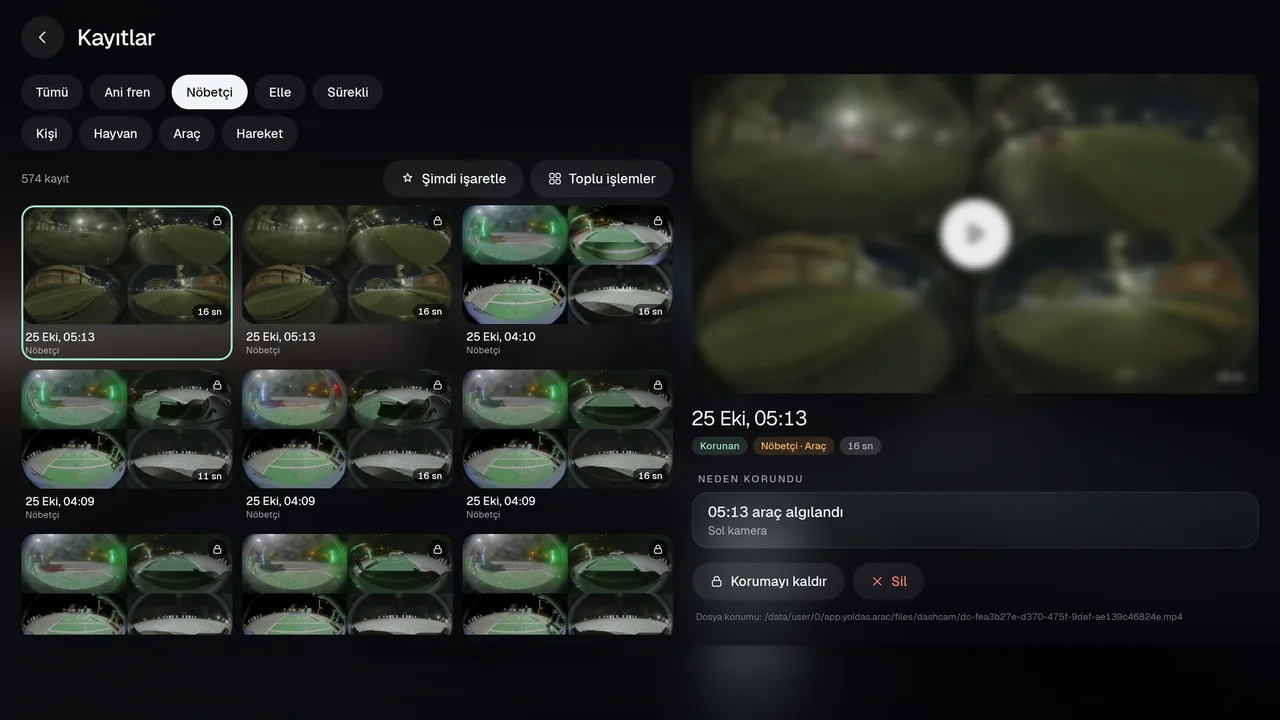
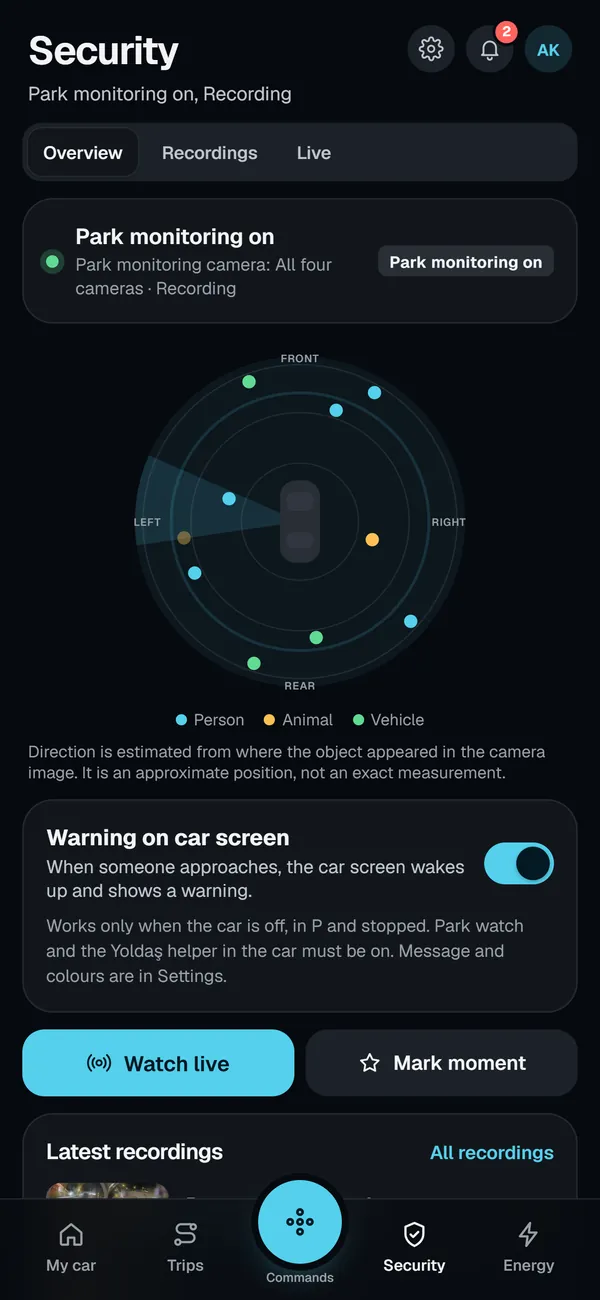
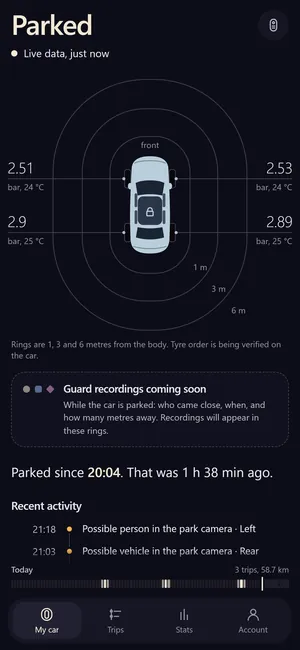
While parked, you get a phone notification when someone may be near the camera you choose, and an alert on the car screen if you like. Events show on a radar and with tags on your phone.

Learn more
Sentry Mode

Automations

Automations and shortcuts

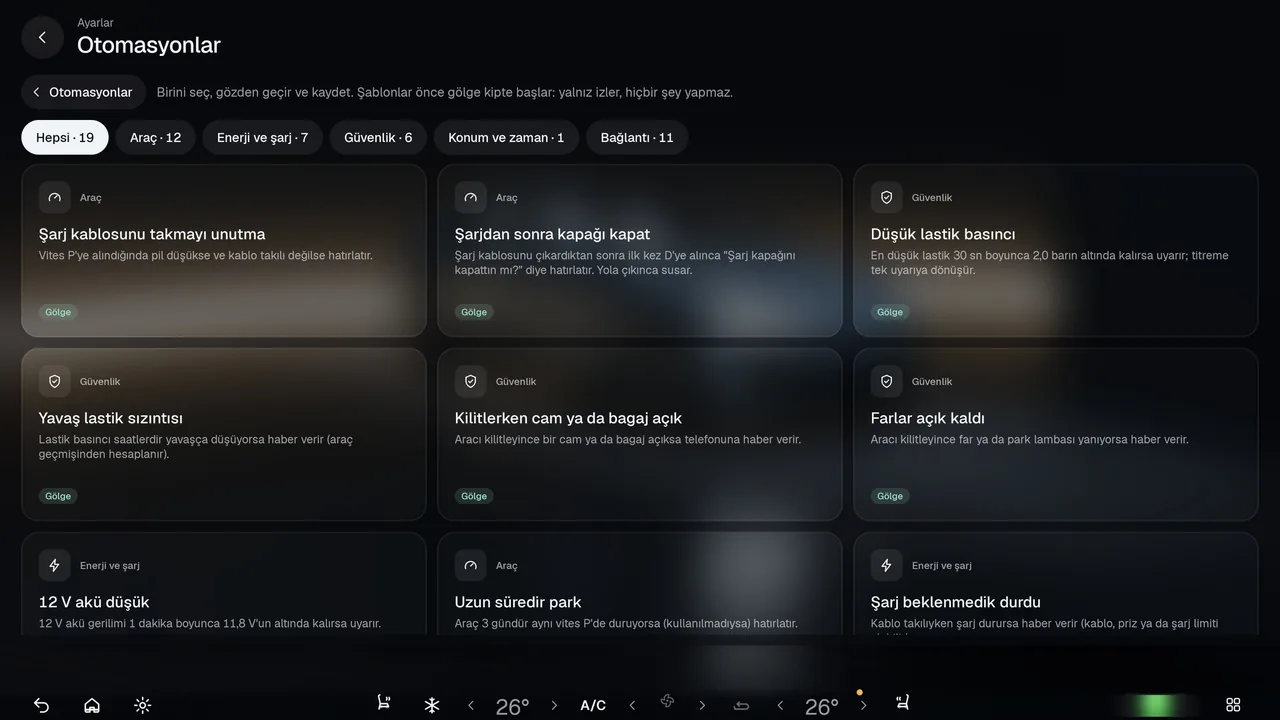
Build your own routines that run when the car turns on, at a set time or on arriving at a place. Put the same actions on the bottom bar as shortcuts.

Learn more
Automations and shortcuts

Turn camera

Turn camera

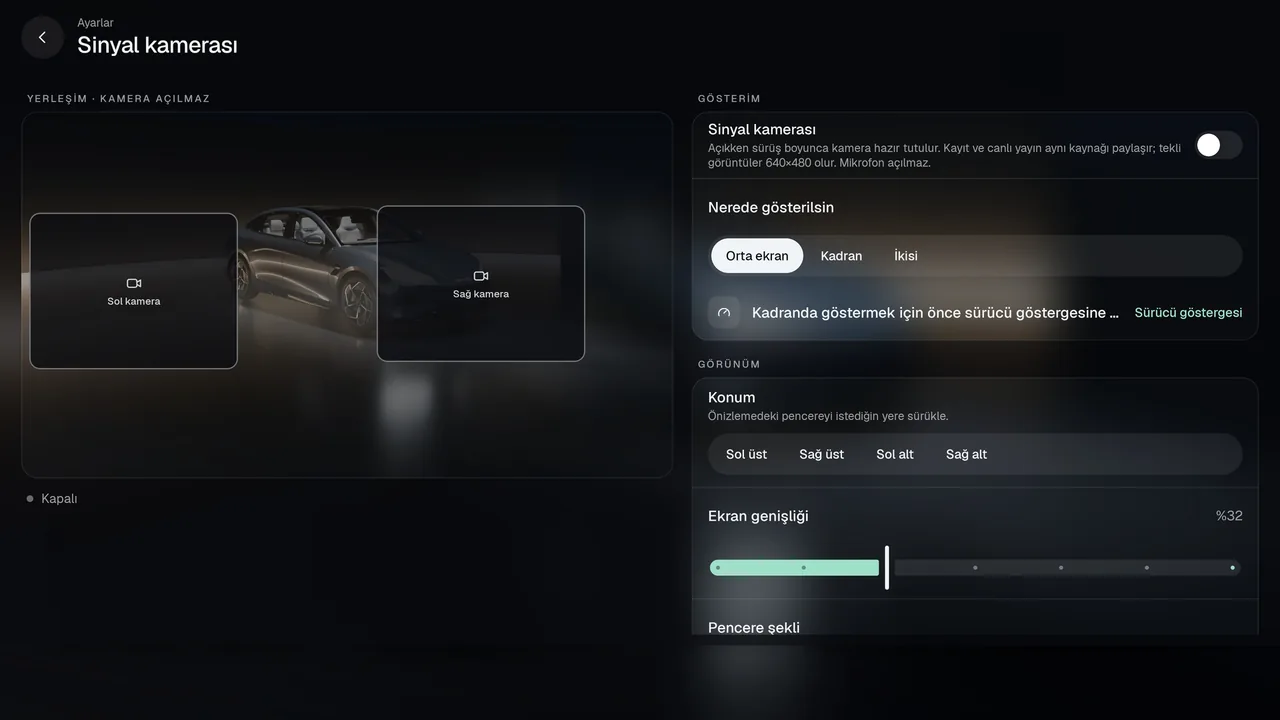
When you signal, the side camera on that side opens on the center screen, the cluster or both. You choose the position, size and shape.

Learn more
Turn camera

While driving

Shift into D and the screen hits the road

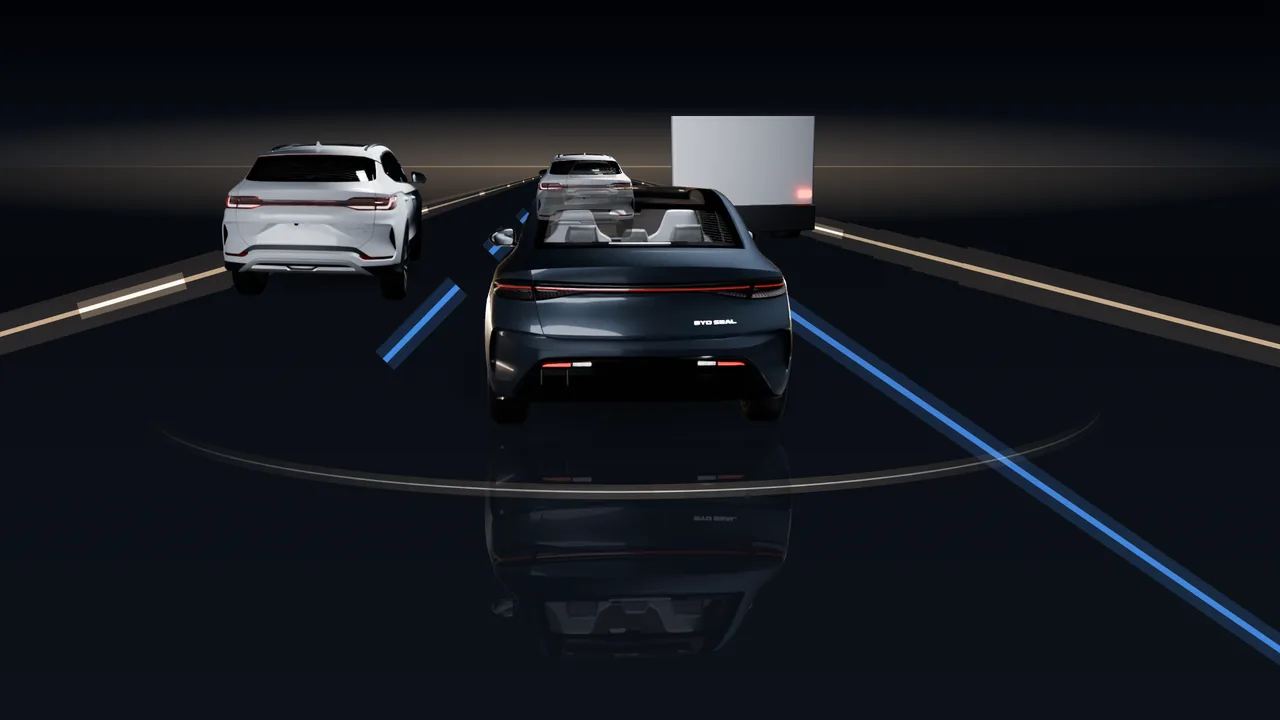
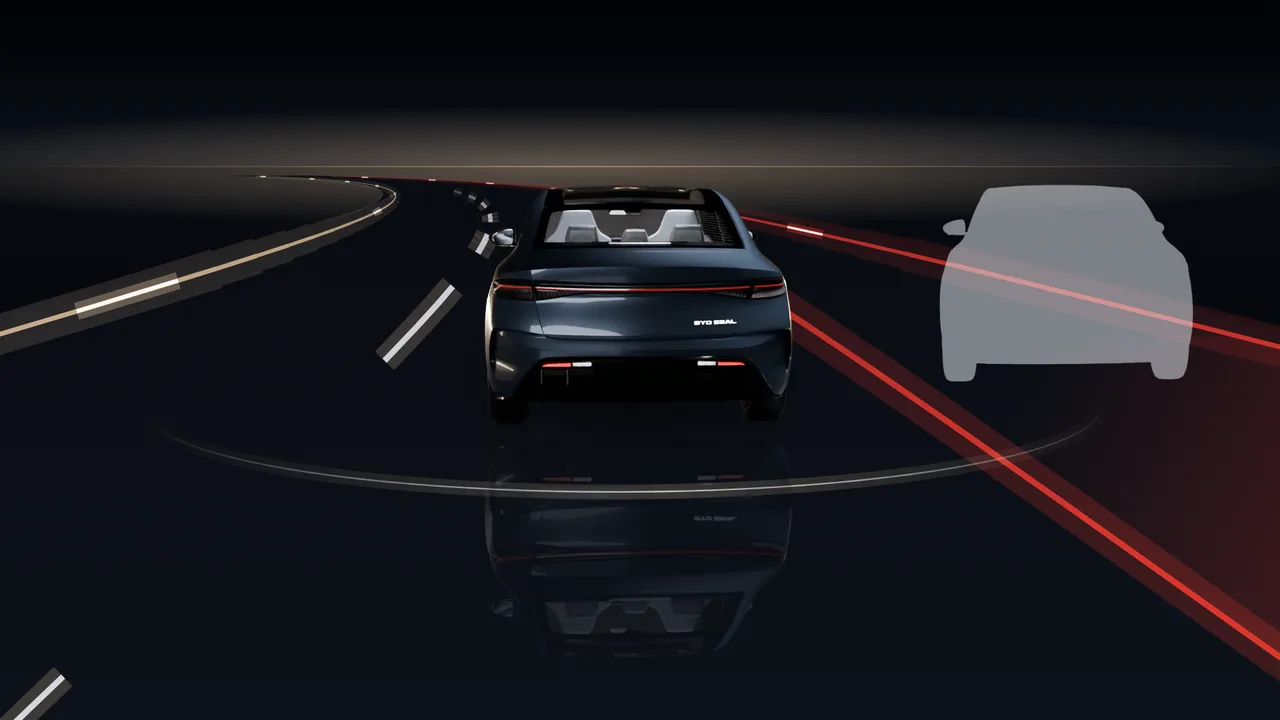
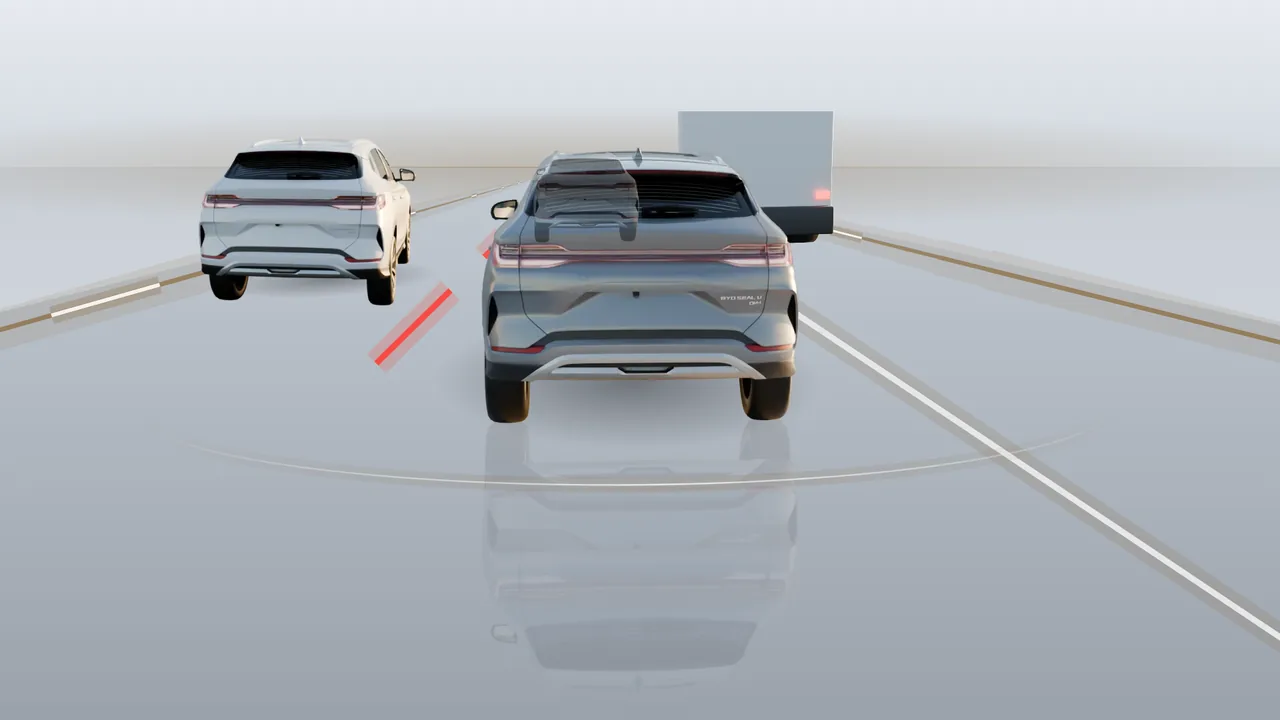
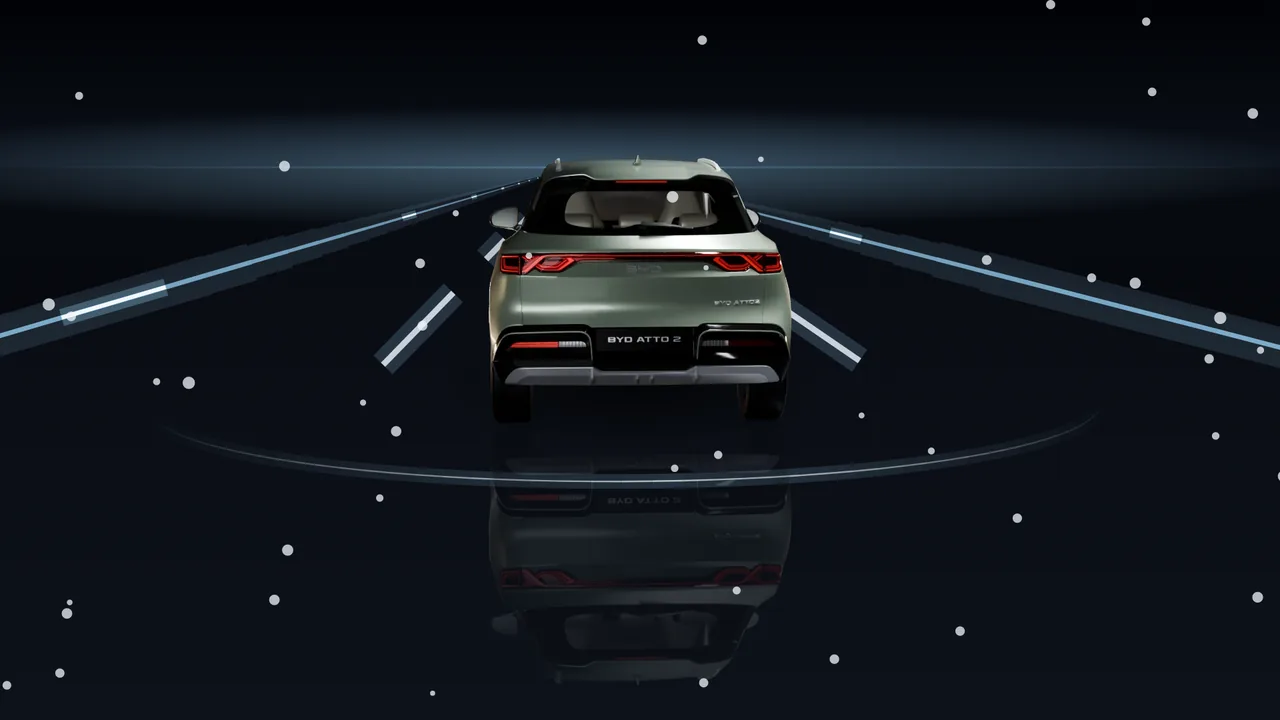
As you pull away, Yoldaş switches to the “On the road” scene: a car in your model and color drives down the road while the lanes flow past. If there is a vehicle in your blind spot, that side glows red; vehicles and pedestrians ahead that your car detects appear in the scene. Night, rain, snow and your driving mode show up in the scene too.

Vehicles around you
Vehicles around you
Blind spot warning
Blind spot warning
Pedestrian and lane warnings
Snow and Snow mode
Snow and Snow mode

Phone app

Your car, always in your pocket

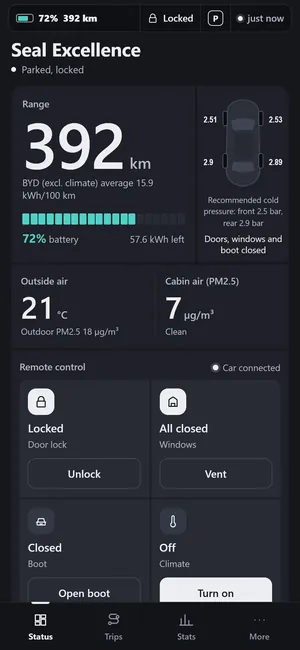
Open app.yoldas.io and add it to your home screen: no app store needed, it works on iPhone and Android. See how your car is doing, send commands, watch the cameras live, and follow your trips, charging sessions and ranking.

  • No app store
  • iPhone and Android
  • Instant notifications
  • 16 languages
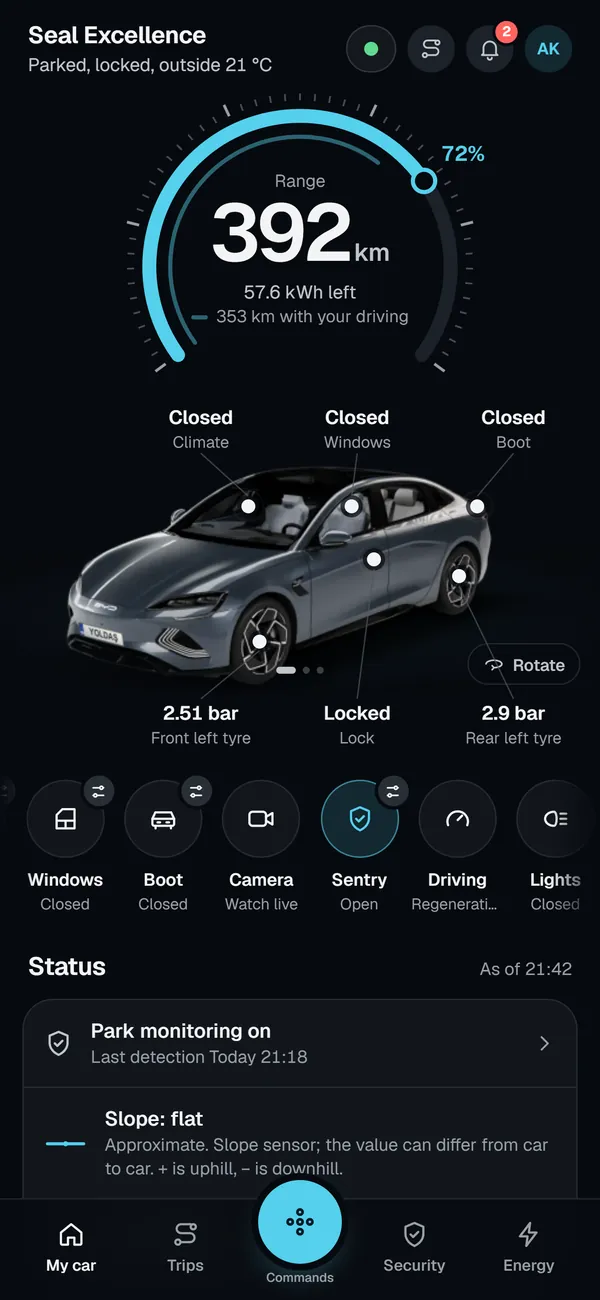
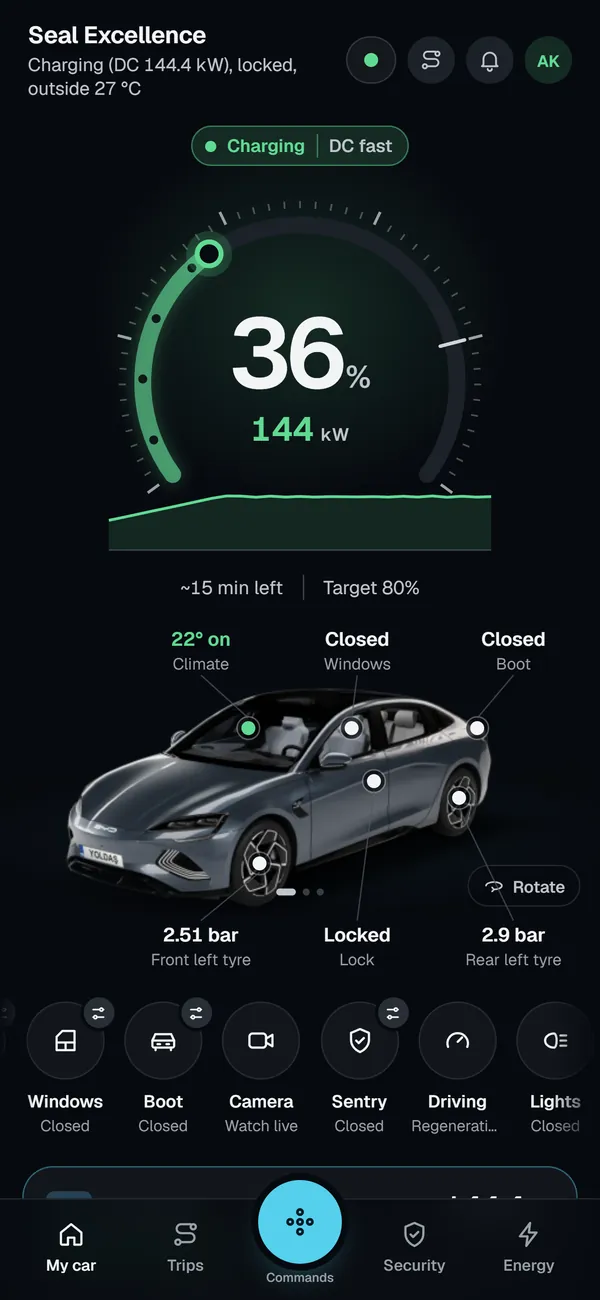
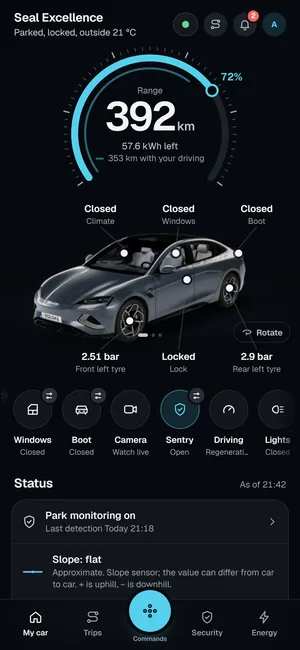
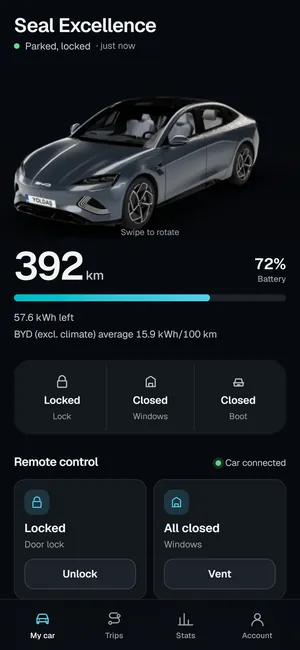
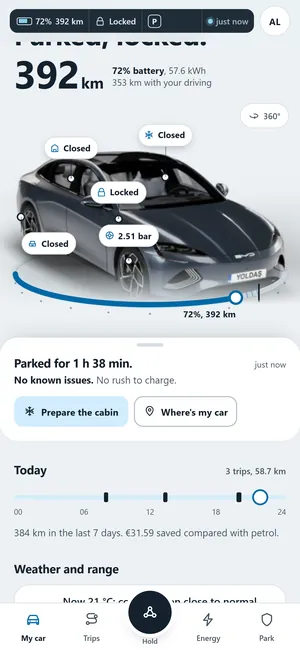
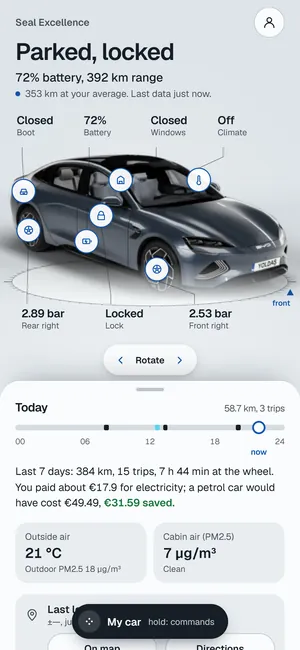
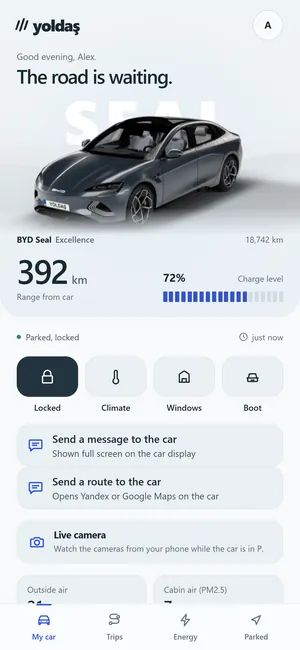
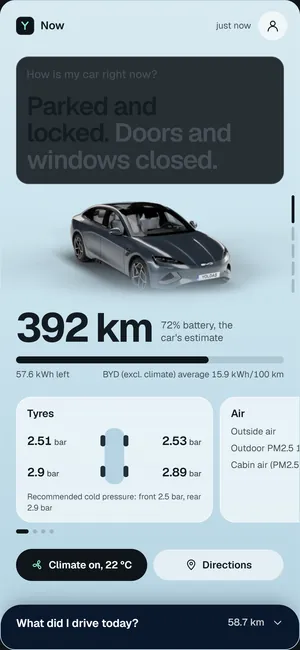
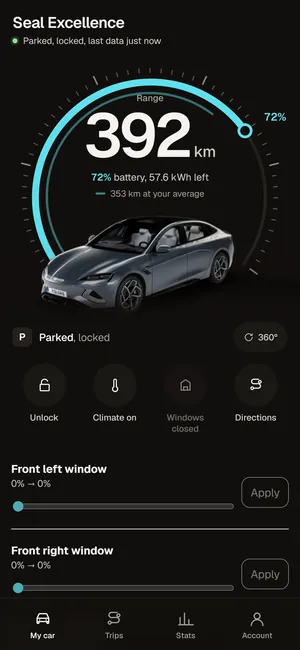
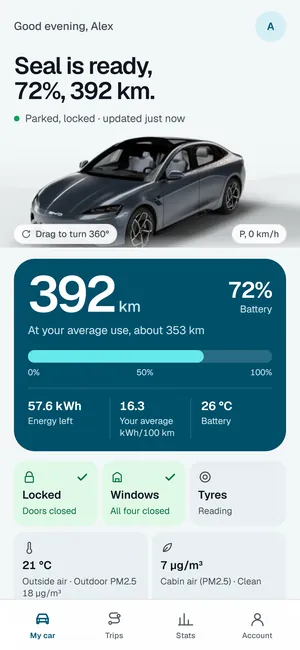
My car: Range, charge level and the distance left at your driving style. Locks, windows, boot and tyres on a 3D model of your car.
My carRange, charge level and the distance left at your driving style. Locks, windows, boot and tyres on a 3D model of your car.
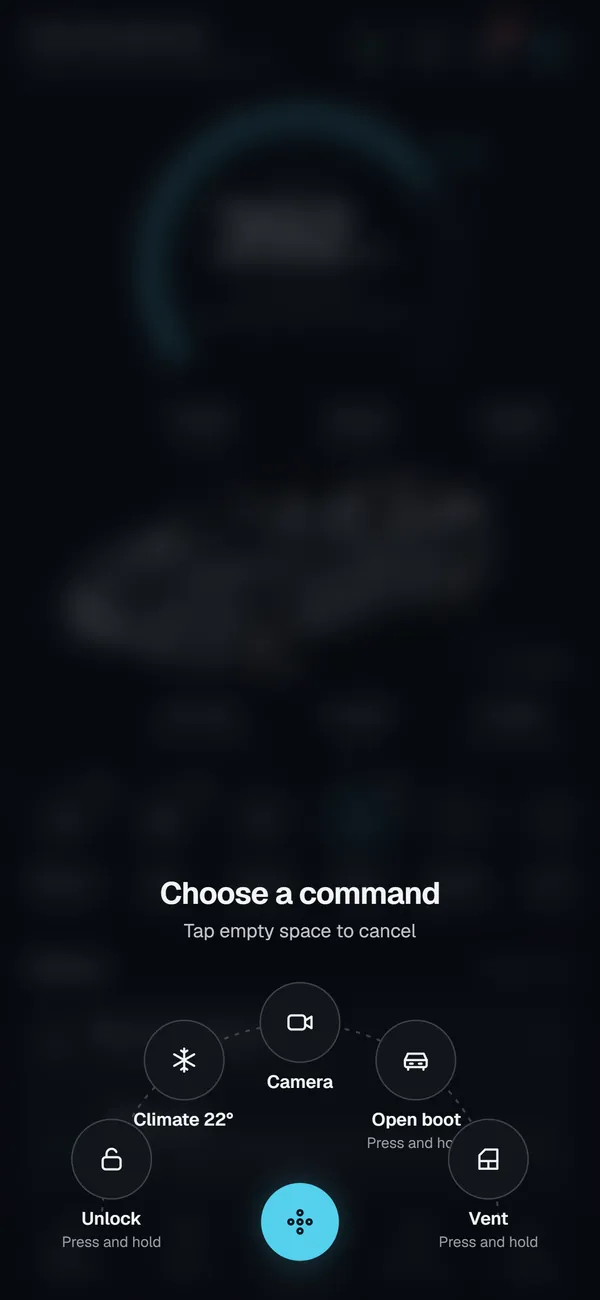
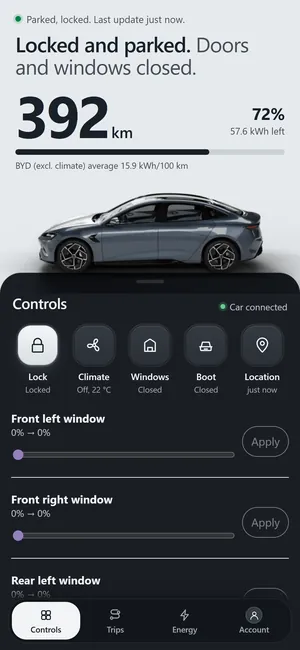
One-touch commands: Press the centre button, slide and release: lock, climate, windows, boot. The result is read back from the car.
One-touch commandsPress the centre button, slide and release: lock, climate, windows, boot. The result is read back from the car.
Sentry radar: Who is around your parked car: a person, an animal or a vehicle, with direction and distance. You get a notification the moment it detects one.
Sentry radarWho is around your parked car: a person, an animal or a vehicle, with direction and distance. You get a notification the moment it detects one.
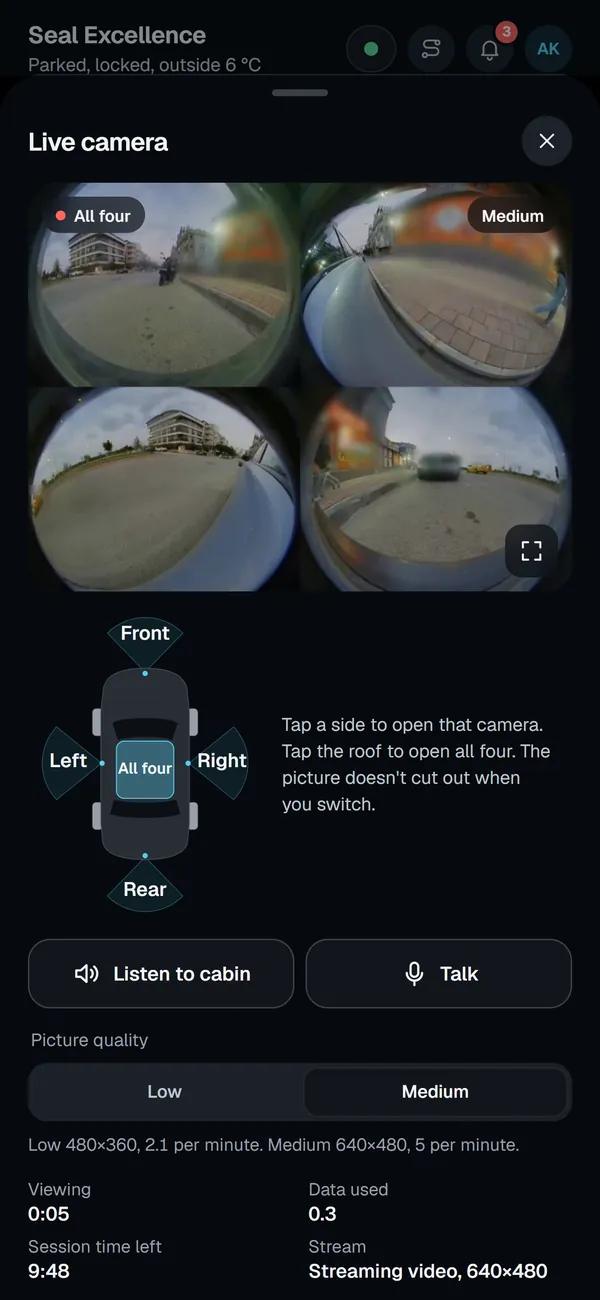
Four cameras live: Watch all four cameras of your car at once; listen to the cabin and talk to the people inside.
Four cameras liveWatch all four cameras of your car at once; listen to the cabin and talk to the people inside.
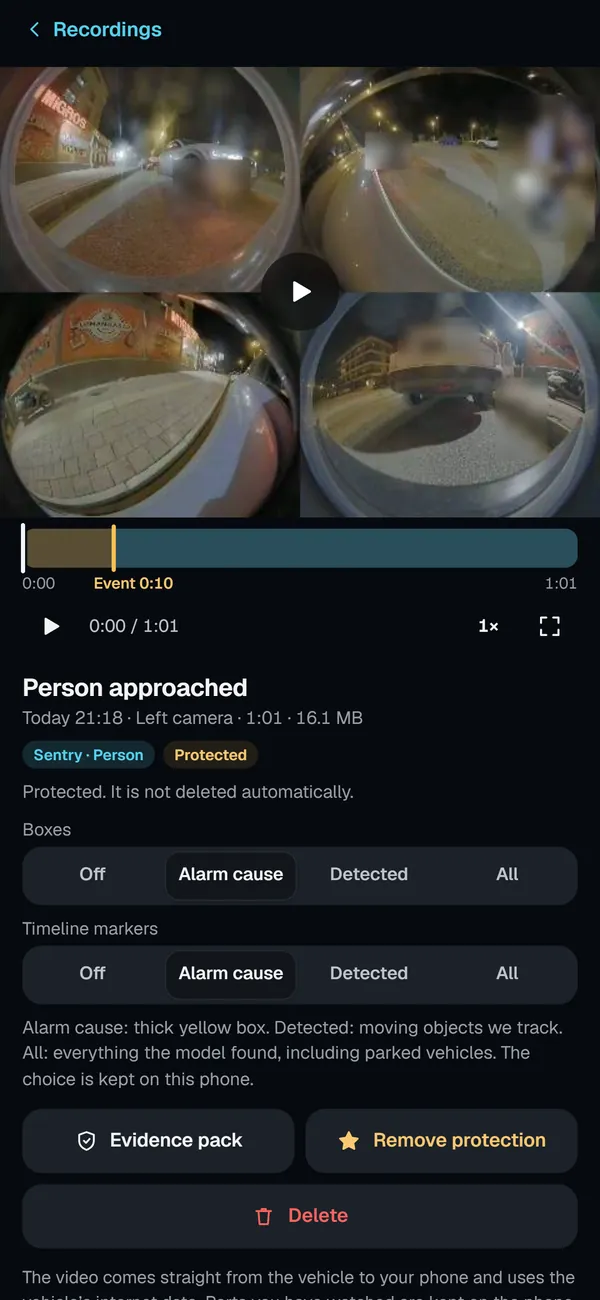
Recordings: Play sentry and driving recordings on your phone and protect the ones that matter.
RecordingsPlay sentry and driving recordings on your phone and protect the ones that matter.
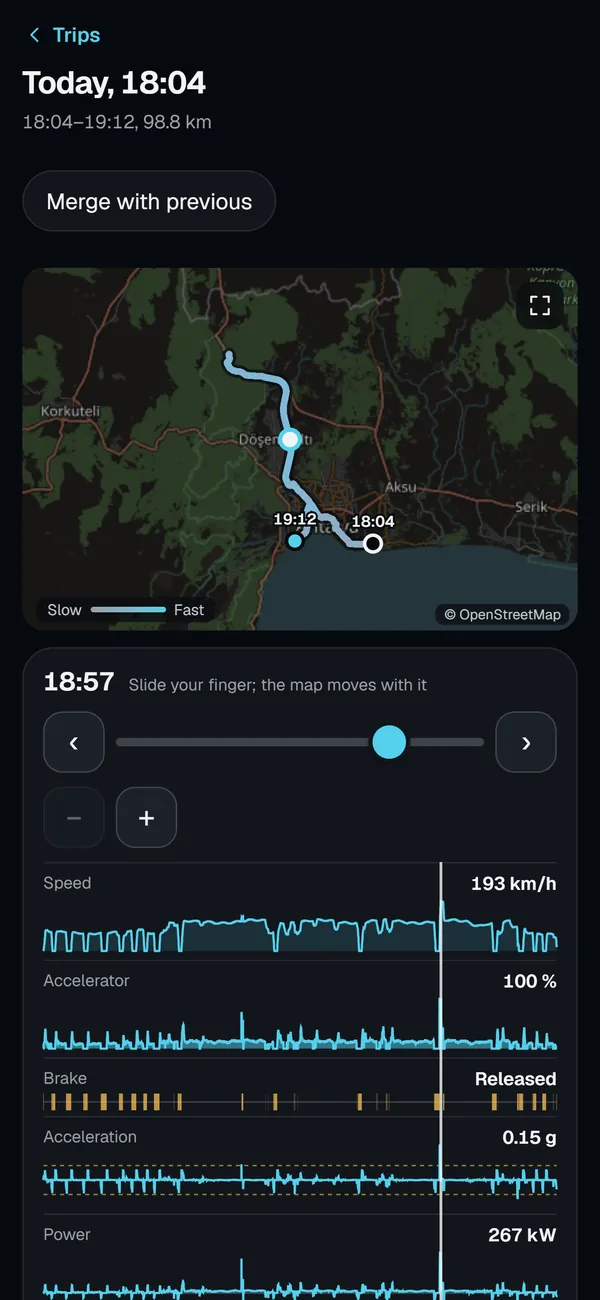
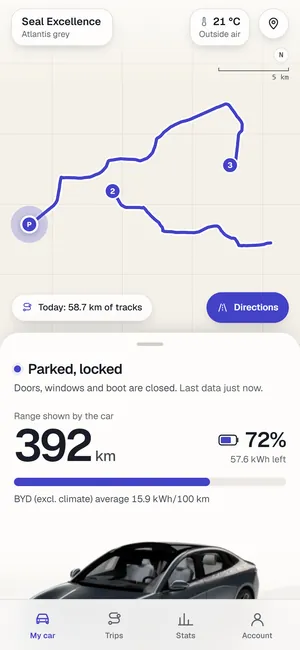
Trips: Every trip on a map coloured by speed; speed, power, braking, altitude and battery on one timeline.
TripsEvery trip on a map coloured by speed; speed, power, braking, altitude and battery on one timeline.
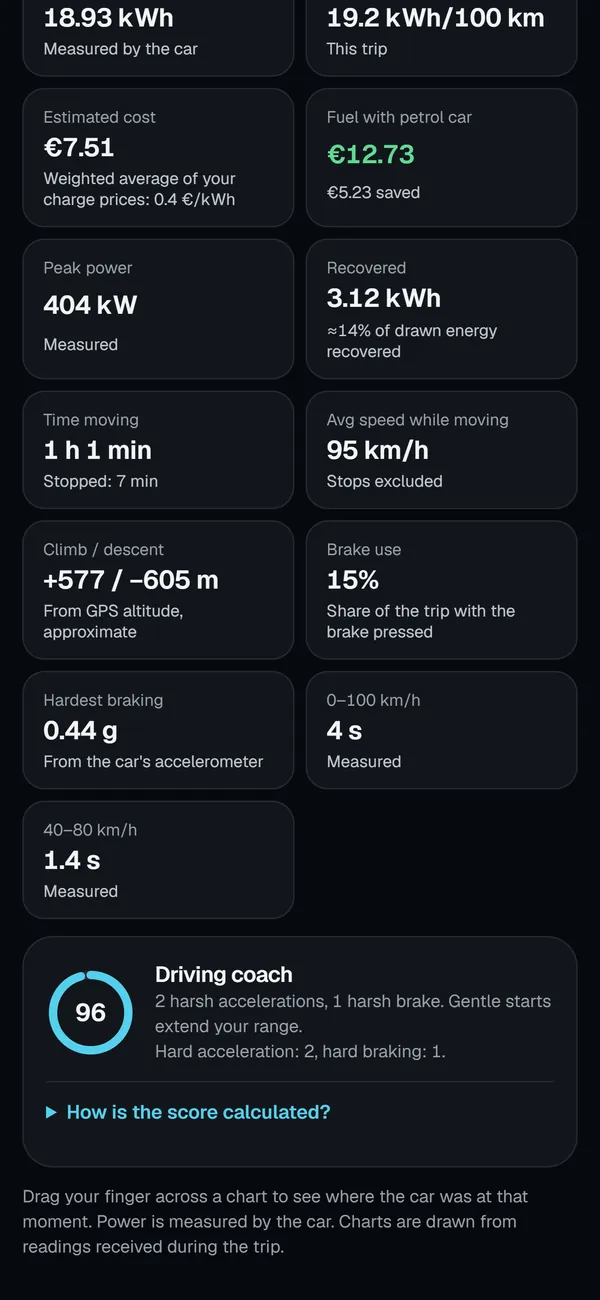
Driving score: 0–100, 40–80, hard acceleration and braking; a score and a short driving tip for every trip.
Driving score0–100, 40–80, hard acceleration and braking; a score and a short driving tip for every trip.
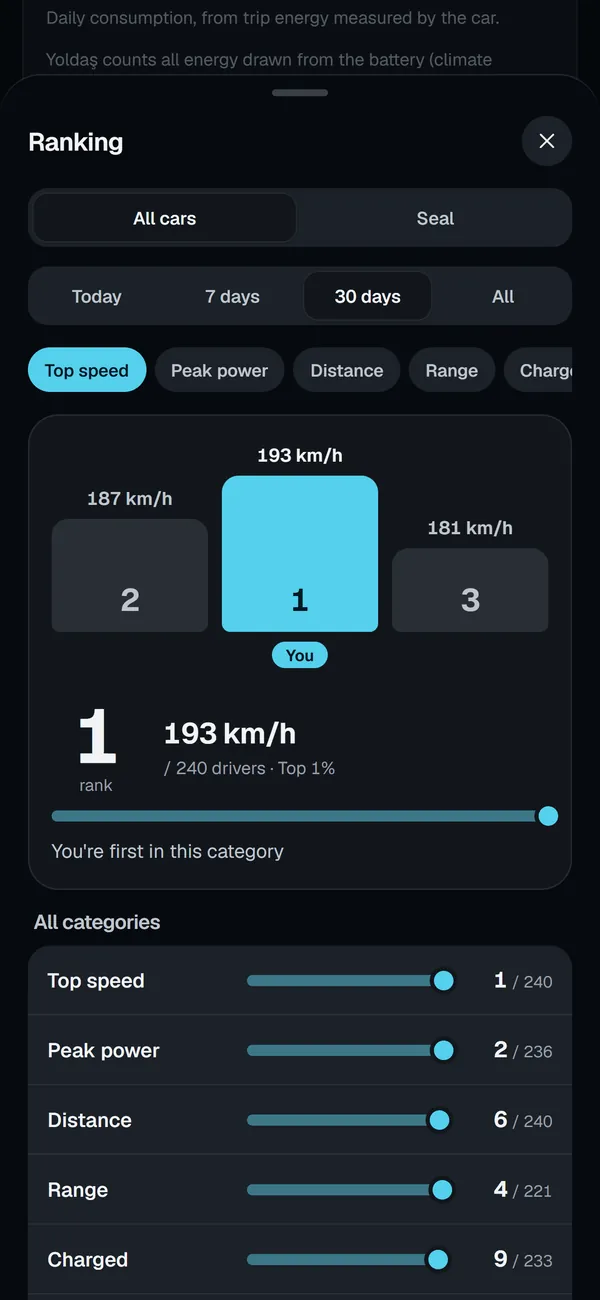
Ranking: Compete with other drivers on top speed, peak power, distance, range and low consumption. No names are shown.
RankingCompete with other drivers on top speed, peak power, distance, range and low consumption. No names are shown.
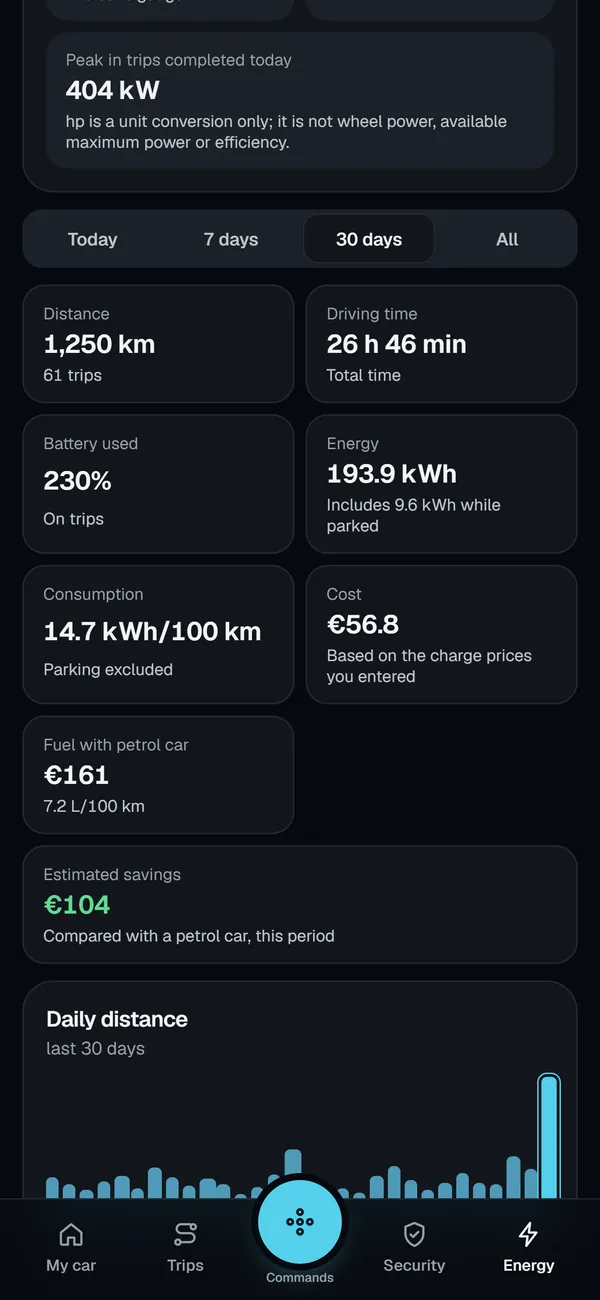
Energy and savings: How much energy you used, what it cost, and how much you saved compared with a petrol car.
Energy and savingsHow much energy you used, what it cost, and how much you saved compared with a petrol car.
Charging: Live power, charging curve and time left; a summary with the cost when charging ends.
ChargingLive power, charging curve and time left; a summary with the cost when charging ends.
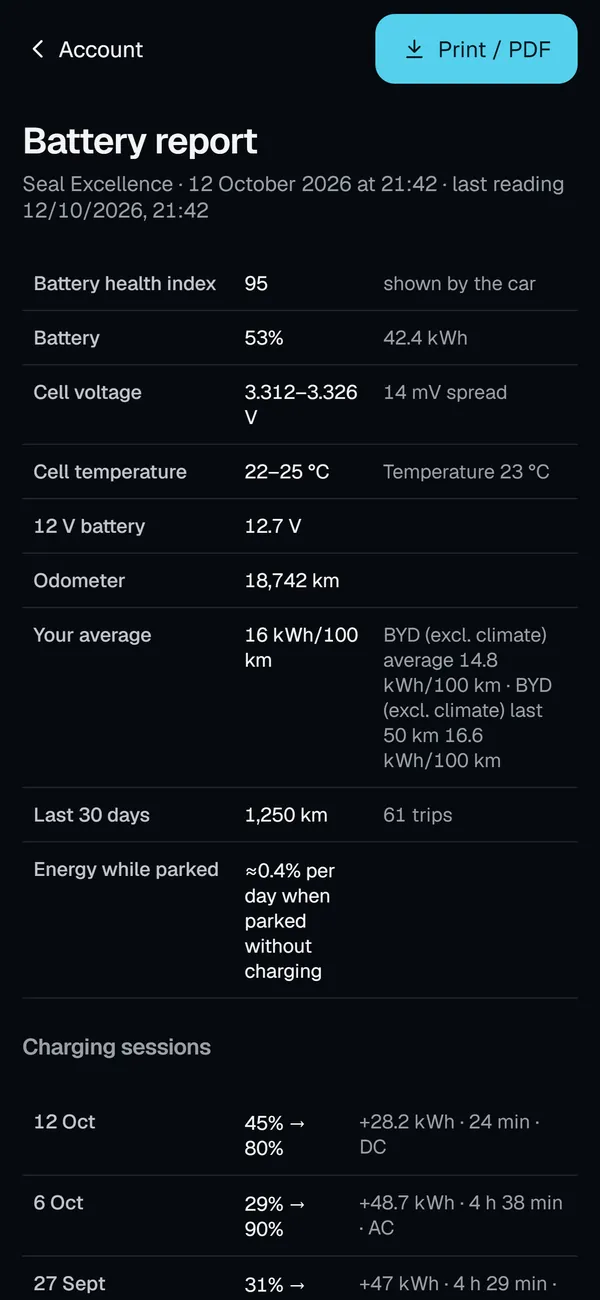
Battery health: Battery report: health, cell temperature and voltage, 12 V battery.
Battery healthBattery report: health, cell temperature and voltage, 12 V battery.
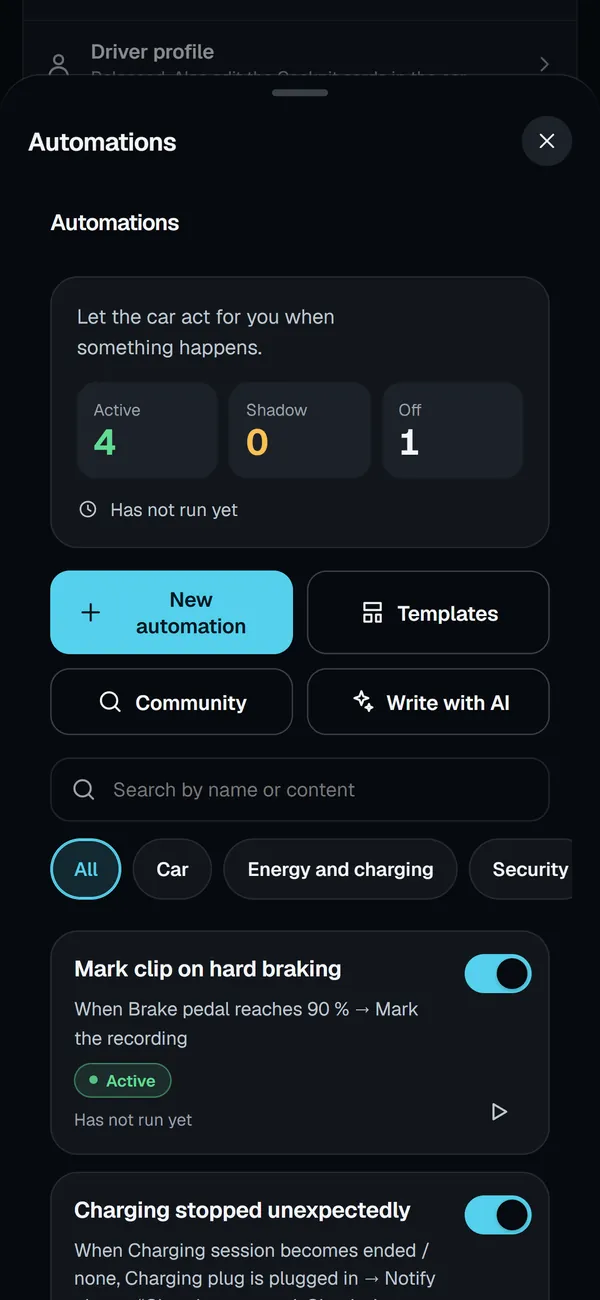
Automations: Create, test and switch your automations on or off from your phone. Or describe one in a sentence and let AI build it.
AutomationsCreate, test and switch your automations on or off from your phone. Or describe one in a sentence and let AI build it.

Screens shown with sample data

12 looks, pick the one that suits you

You choose how the phone app looks: one-handed, command centre, map, cards, daylight and more. The data and commands are the same in all of them.

  • Yoldaş
  • Classic
  • Combined
  • Car
  • Close
  • Command centre
  • One hand
  • Watch
  • Cards
  • Live panel
  • Daylight
  • Map

In numbers

On hundreds of BYDs every day

  • 700+cars in the last 30 days
  • 60,000+trips recorded
  • 500,000+km recorded
  • 380+clusters designed

What does Yoldaş do?

Home screen, cluster, cameras, energy and trips in one app. Big and easy to read on the car screen, and available anywhere on your phone.

BYD launcher: the Yoldaş home screen

Yoldaş becomes your car's home screen: your car in 3D, drag-and-drop widgets, separate layouts for parking, driving and charging, and your own bottom bar.

Split screen and CarPlay

Split the center screen into two or three panes: map, CarPlay, Android Auto, music and Yoldaş side by side. Separate layouts for parking, driving and charging.

Phone app

Car status, commands, four cameras live, trips, charging and ranking. No app store needed; iPhone and Android, 12 different looks.

Car screen from your phone

Watch the car's center screen live on your phone; control it by touch while the car is in P. Car owner only, and a sign shows in the car during the session.

Dashcam with the car's own cameras

Record from all four cameras without fitting an extra one. While driving, while parked or all the time; important clips are protected, recordings stay in the car and you fetch them on your phone when you want.

Sentry Mode

While parked, you get a phone notification when someone may be near the camera you choose, and an alert on the car screen if you like. Events show on a radar and with tags on your phone.

360° camera on your phone

Watch all four cameras live on the car screen and on your phone. Only the owner can watch; video is not stored.

Turn camera

When you signal, the side camera on that side opens on the center screen, the cluster or both. You choose the position, size and shape.

Remote control from your phone

Control the four windows by percentage, the trunk, locks and A/C from your phone. The result of every command is read from the car and logged.

Automations and shortcuts

Build your own routines that run when the car turns on, at a set time or on arriving at a place. Put the same actions on the bottom bar as shortcuts.

Custom bottom bar

Your own bar at the bottom of the screen: Back, Home, A/C and shortcuts you choose. Defrost, windows, automations and apps in one tap.

Charging and consumption

Battery, range, remaining kWh and consumption. Every charging session, its charging curve and its cost are logged automatically.

Trip computer

Every trip is logged automatically. Tire pressure, 12 V battery, driving score and 0–100 timer in one place.
Supported BYD models

Pick your model to see the install steps and what Yoldaş shows on that car.

BYD Seal

The car Yoldaş is developed on. All features: turn camera, cluster display, bottom bar and the 360° Seal view.

BYD Seal U EV

Dashcam, Sentry, live camera, remote control, charging and trip tracking.

BYD Seal U DM-i

Electric and fuel side by side: total range, L/100 km, SAVE. Dashcam, Sentry and cluster display too.

BYD Sealion 7

Dashcam, Sentry, live camera, map on the cluster, remote control, charging and trip tracking.

BYD Atto 3

Dashcam, Sentry, live camera, remote control, charging and trip tracking.

BYD Atto 2

Dashcam, Sentry, live camera, remote control, charging and trip tracking.

BYD Dolphin

Dashcam, Sentry, live camera, remote control, charging and trip tracking.

BYD Han

Dashcam, Sentry, live camera, remote control, charging and trip tracking.

BYD Tang

Dashcam, Sentry, live camera, remote control, charging and trip tracking.

BYD Dolphin Surf

Dashcam, Sentry, live camera, remote control, charging and trip tracking.

BYD Seal 6 DM-i

Electric and fuel side by side: total range, L/100 km, SAVE. Dashcam and Sentry too.

BYD Sealion 5 DM-i

Electric and fuel side by side: total range, L/100 km, SAVE. Dashcam and Sentry too.

Install in three steps

Setup takes about 10 minutes. The guide has all the details.

  1. Install the APK in the car

    Open the APK file on the car screen or install it from a computer. App install guide

  2. Add the phone app

    Open app.yoldas.io on your phone, choose "Add to Home Screen" and create an account.

  3. Pair your phone with the car

    Scan the QR code on the car screen with your phone. From then on, data comes in on its own.

Peace of mind

What people ask before installing

  • Can it harm my car?

    Yoldaş installs as an ordinary Android app. It doesn't change the car's system files and needs no root or special signature.

  • What happens if I remove it?

    Uninstall it from the app list. The few Android settings Yoldaş changed are reverted and your BYD screen goes back to how it was.

  • What about BYD updates?

    Some updates remove apps installed afterwards. Reinstall Yoldaş and pair it with your phone again; your history stays on the server.

  • What about my warranty?

    Warranty decisions are made by BYD and authorised service centres, so we can't promise anything. Yoldaş doesn't touch system files. If you're unsure, ask your service centre before installing.

Signed updates

Yoldaş downloads new versions by itself and checks the signature and file integrity before installing.

Your data is yours

Location and data sharing only turns on with your consent. You can delete your history from the app. Security details

The live view sign is in your hands

While the cameras are being watched from a phone, the "live view on" sign on the car screen is hidden by default. If you turn it on under Security › Recording and protection, it is drawn together with a Stop button.

Frequently asked questions

Which BYD models does Yoldaş work with?

Yoldaş is built for the BYD Seal, Seal U EV, Seal U DM-i, Sealion 7, Atto 3, Atto 2, Dolphin, Han, Tang, Dolphin Surf, Seal 6 DM-i and Sealion 5 DM-i. Each model has its own page with install and usage details: model list.

Does Yoldaş cost anything?

Yoldaş is free during the pilot and has no ads. Plans of USD 4.99 monthly and USD 29.99 annually are announced, but sales have not opened. See pricing and the 10-day trial. The launch date will be announced separately.

Is Yoldaş made by BYD?

No. Yoldaş is an independent app; it is not an official BYD app and is not affiliated with BYD.

Do I need a computer to install apps on my BYD?

On most cars, you just open the APK file on the car screen. If the install screen does not appear, you can install it from a computer with ADB. See the steps in the app install guide.

Install Yoldaş in your car

Free during the pilot. Current version 0.15.33. See the steps in the install guide.