BYD phone app: your car in your pocket
With Yoldaş on your phone you see how your car is doing, control the locks and climate, and watch the cameras live. Your trips, charging and consumption are recorded automatically, and when someone approaches your parked car, your phone gets a notification.
Last updated: November 20, 2026
- No app store
- iPhone and Android
- Instant notifications
- 16 languages
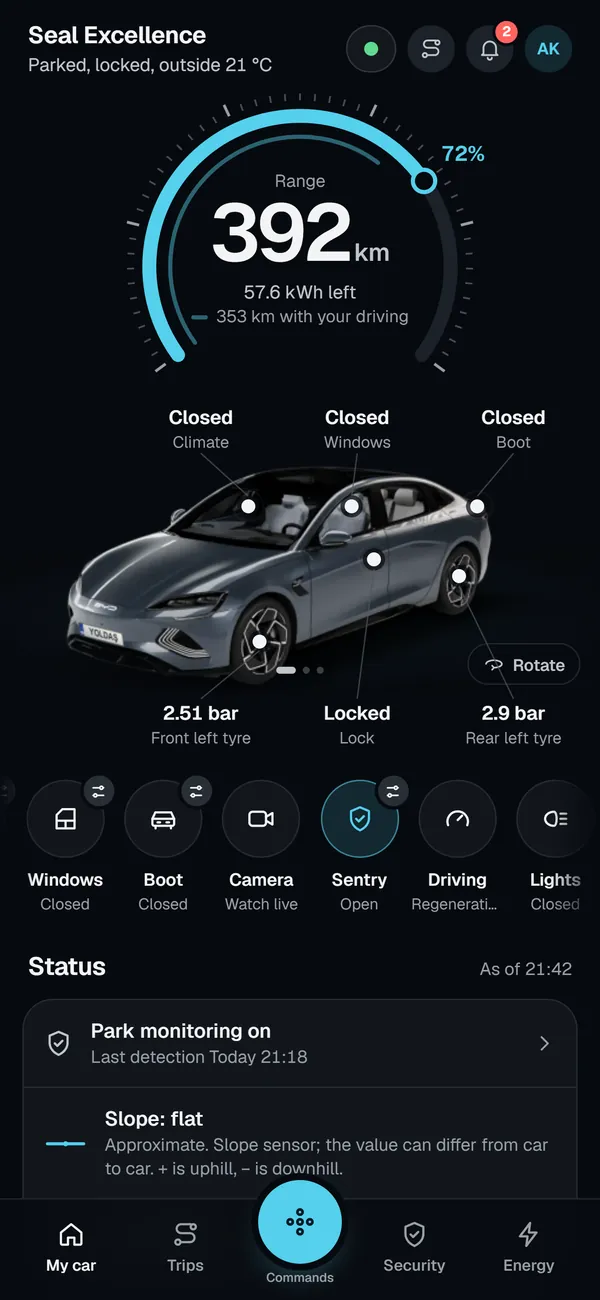
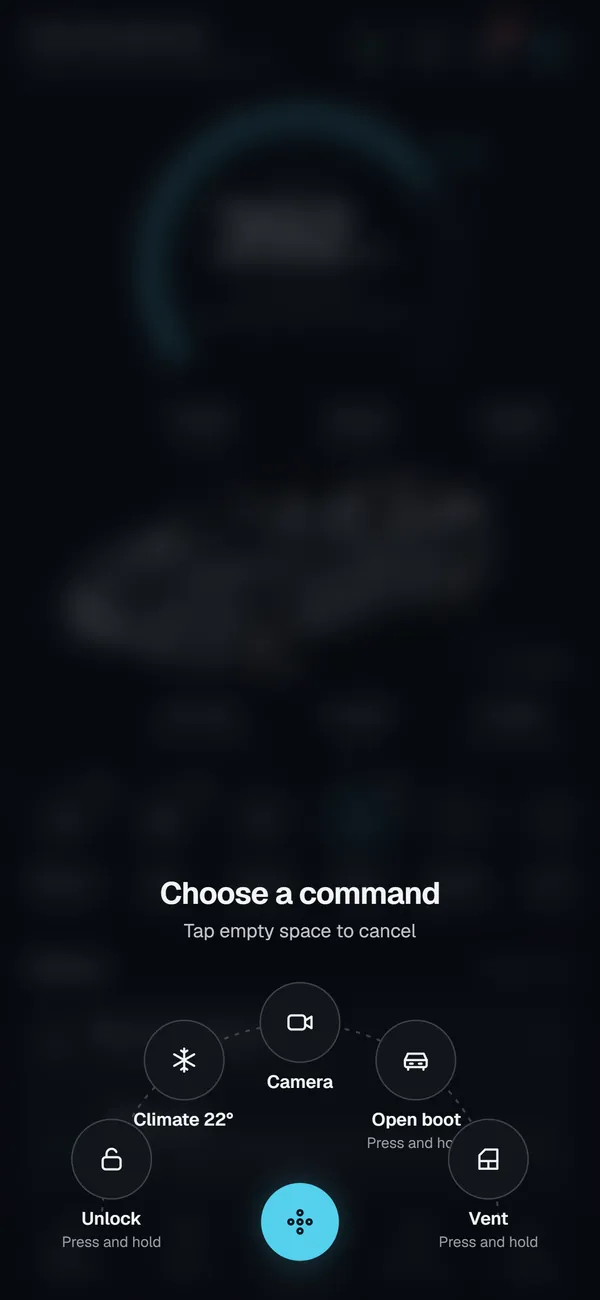
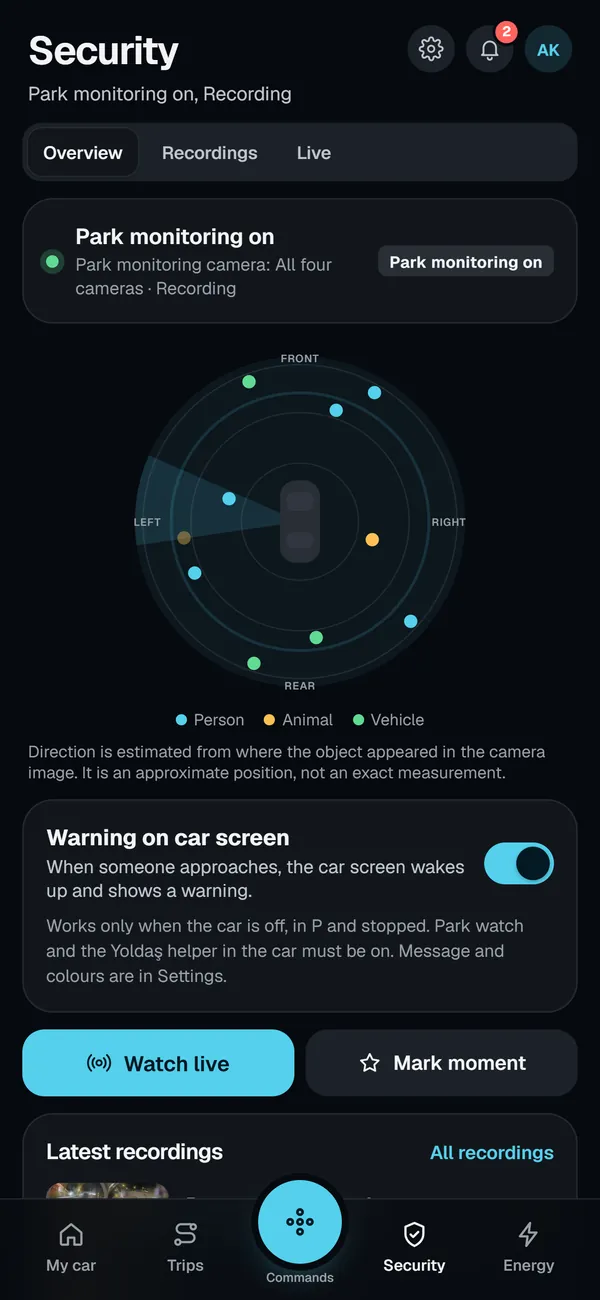
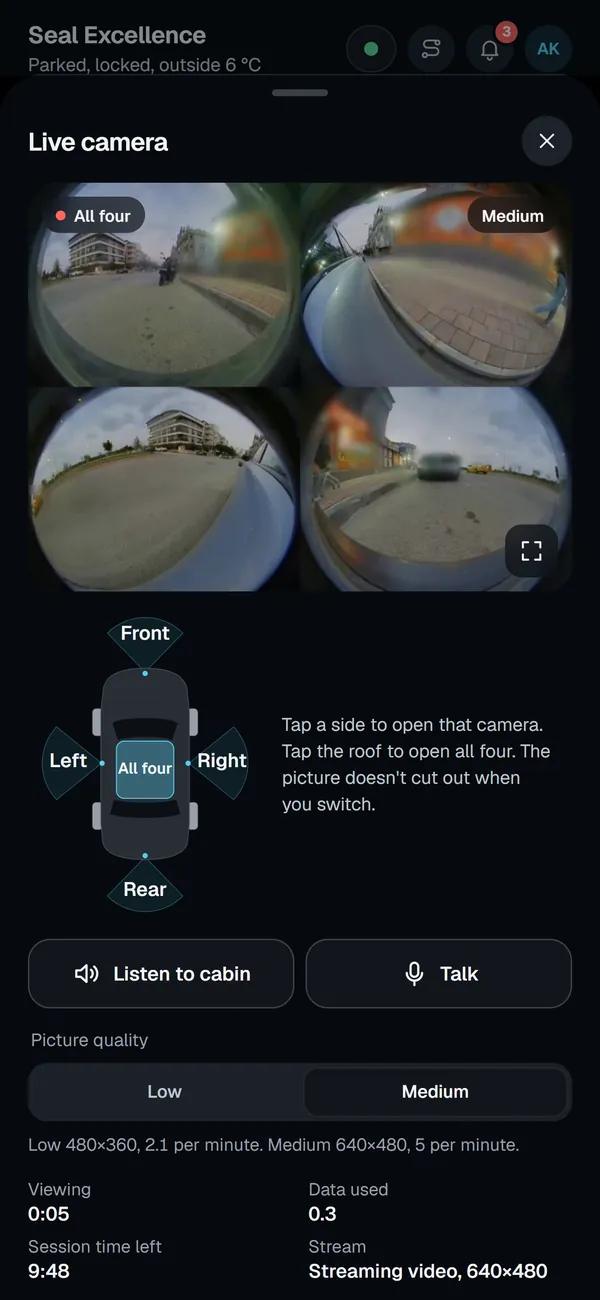
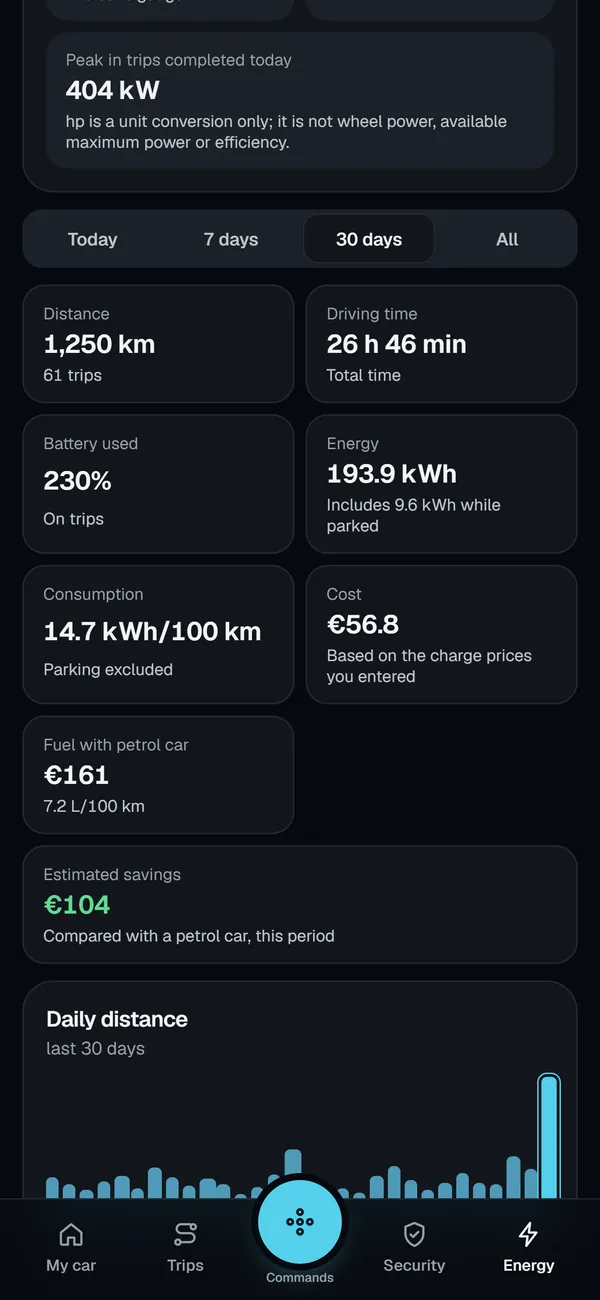
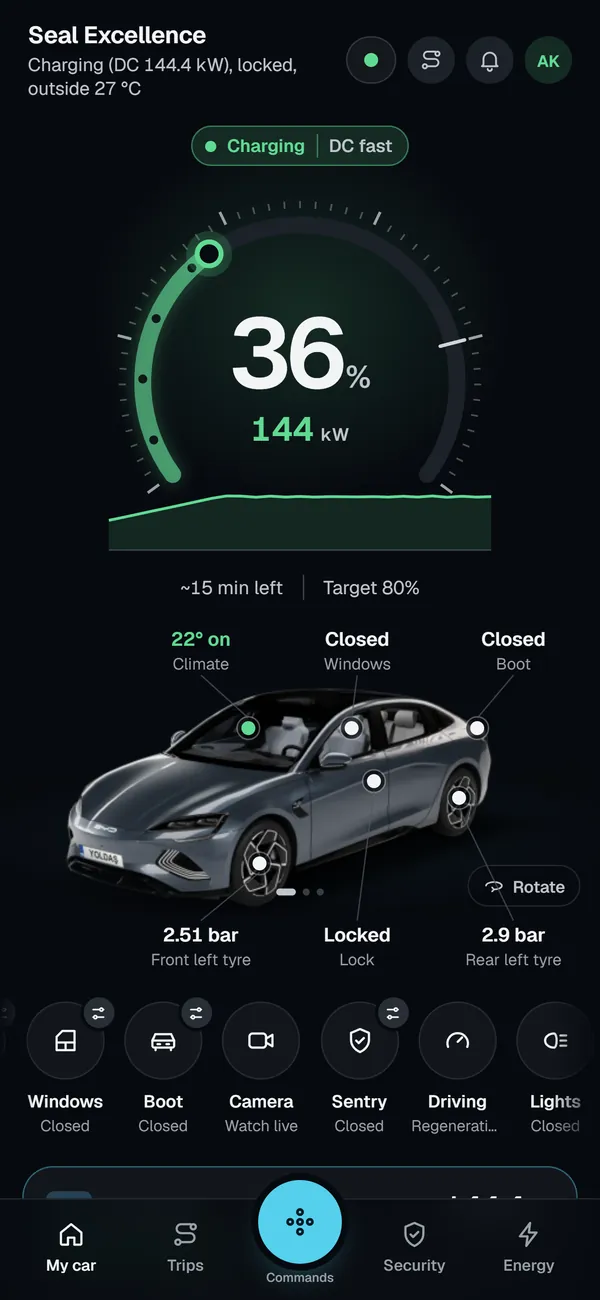
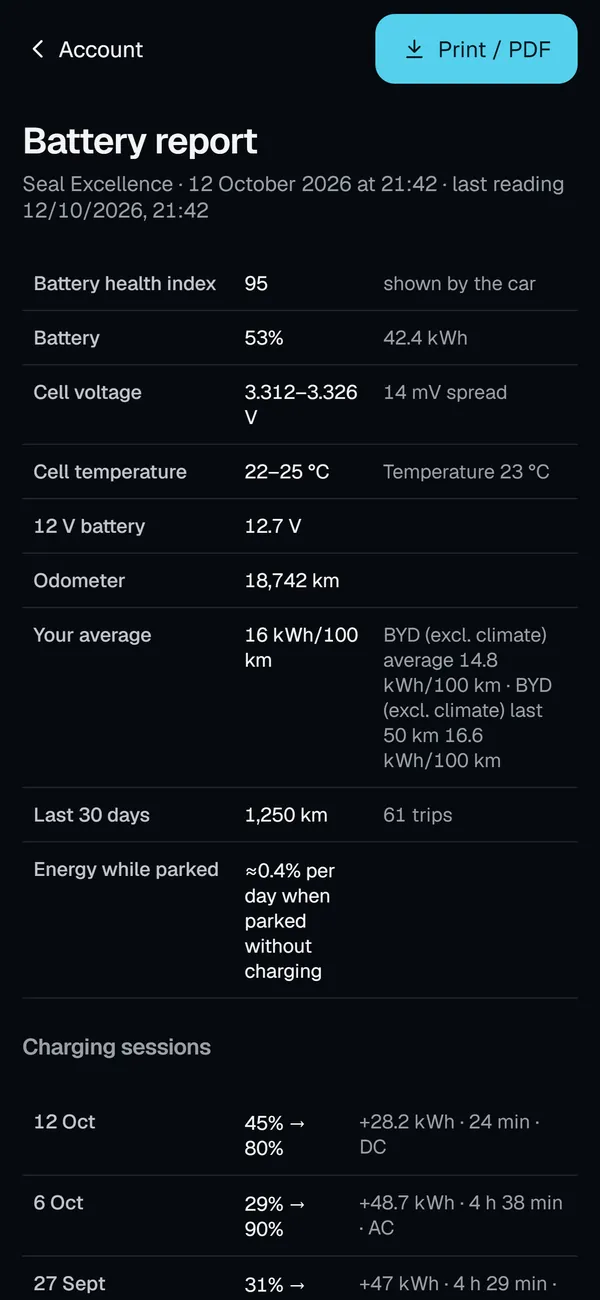
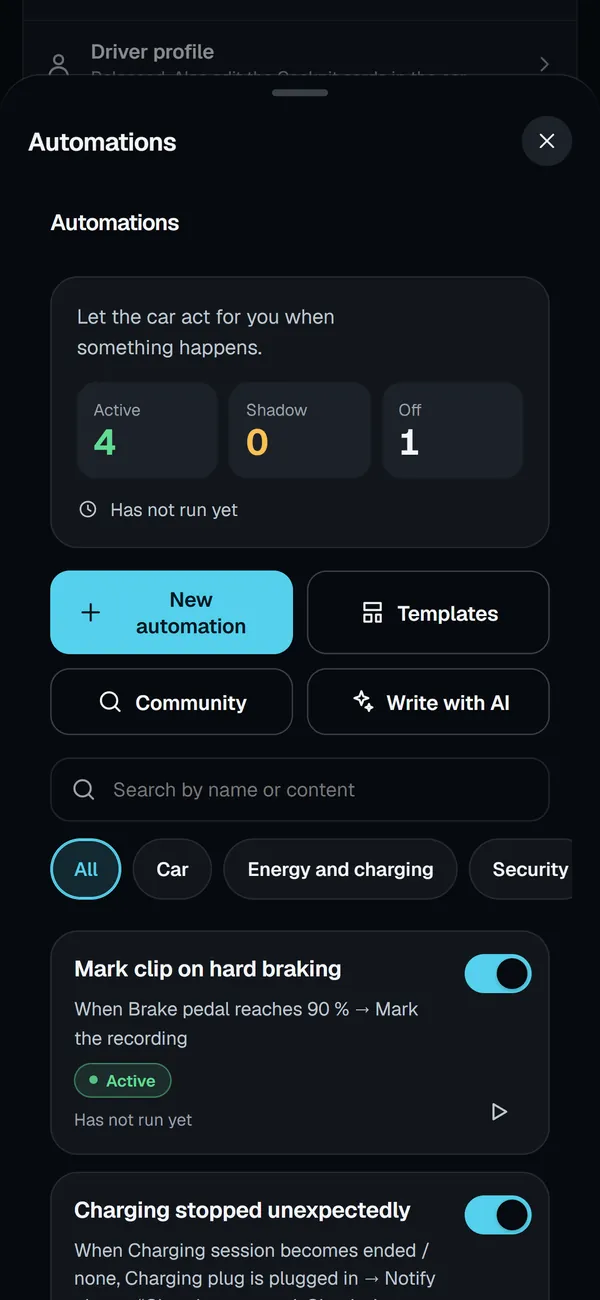
Screens shown with sample data
12 looks, pick the one that suits you
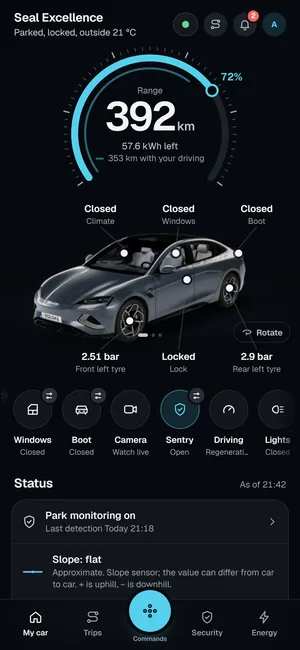
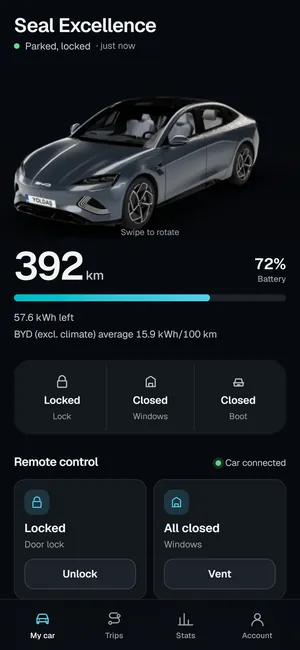
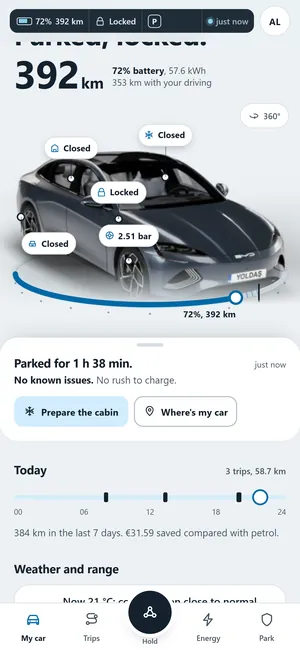
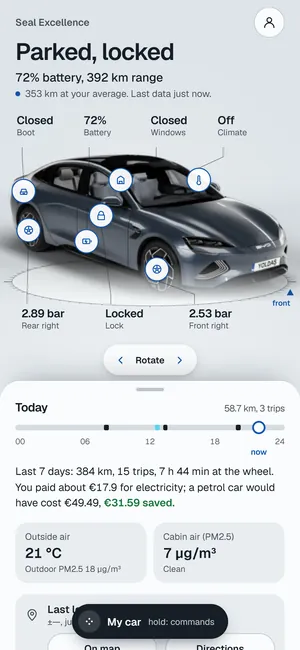
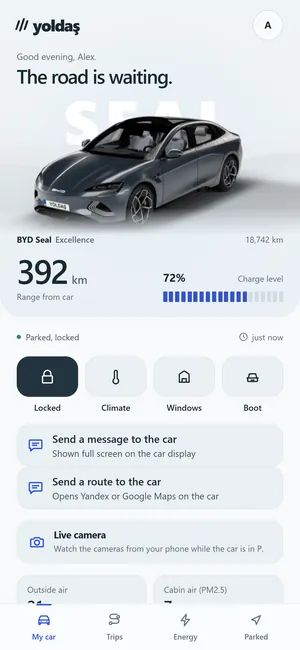
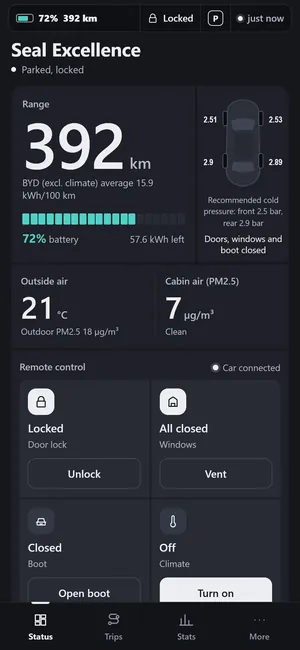
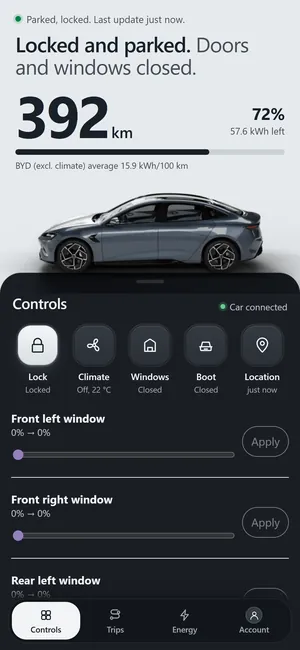
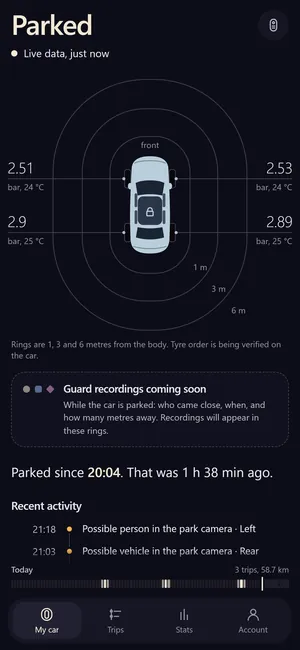
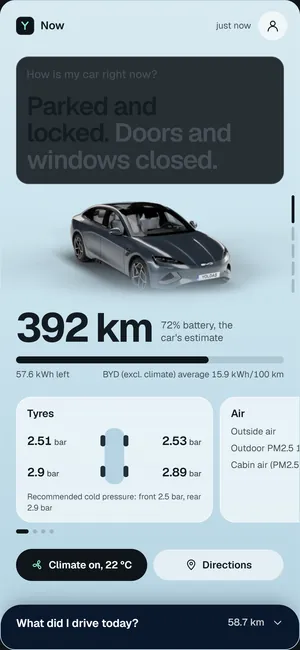
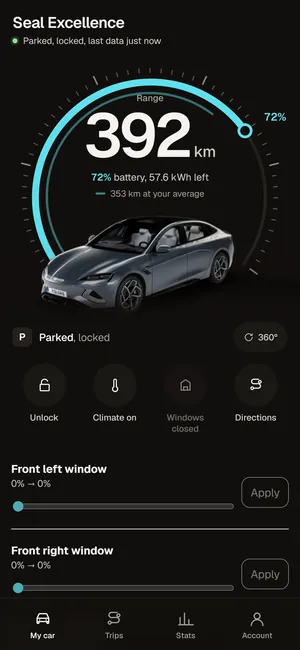
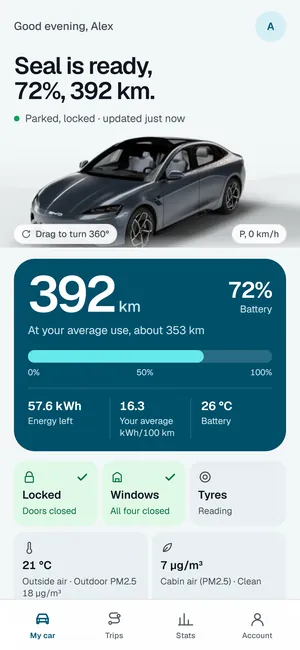
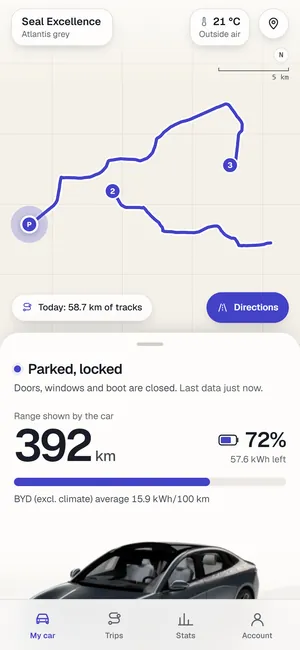
You choose how the phone app looks: one-handed, command centre, map, cards, daylight and more. The data and commands are the same in all of them.
No app store needed
The Yoldaş phone app is a web app: nothing to download, no store account, no waiting for updates. Once added to your home screen it opens full screen like any app, sends notifications and always opens with the latest version.
- Open the address
Open app.yoldas.io on your phone and create an account or sign in.
- Add it to your home screen
On iPhone, Safari › Share › Add to Home Screen; on Android, Chrome menu › Add to Home screen.
- Pair it with your car
Scan the QR code shown by Yoldaş in your car. From then on, the data arrives by itself.
Your car at a glance
The home screen shows range, charge level and the distance left at your driving style. The 3D car shows the locks, windows, boot, climate and tyre pressures; tap any of them for details.
One-touch commands
Press the centre button and slide your finger: unlock, set the climate to 22 °C, vent the windows, open the boot. The result of every command is read back from the car and logged. Unlocking asks for an extra confirmation on the phone. Remote control
Sentry, notifications and recordings
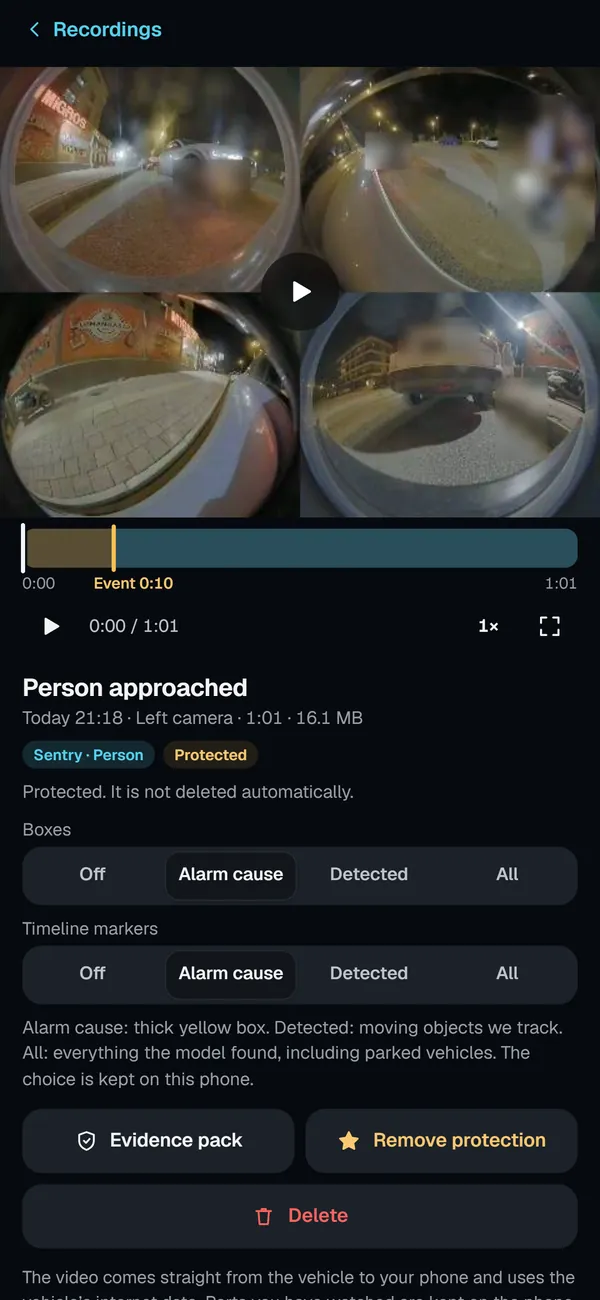
When sentry detects a person, an animal or a vehicle around your parked car, your phone is notified straight away. The radar shows what came from which direction and how close, and you play the recording on your phone. Protected recordings are never deleted. Sentry mode
Four cameras live, listen and talk
Watch all four cameras of your car on your phone at once. If you want, listen to the cabin and talk to the people inside. The video goes directly and encrypted between the car and your phone; it isn't stored on a server. Live 360° camera on your phone
Trips and driving score
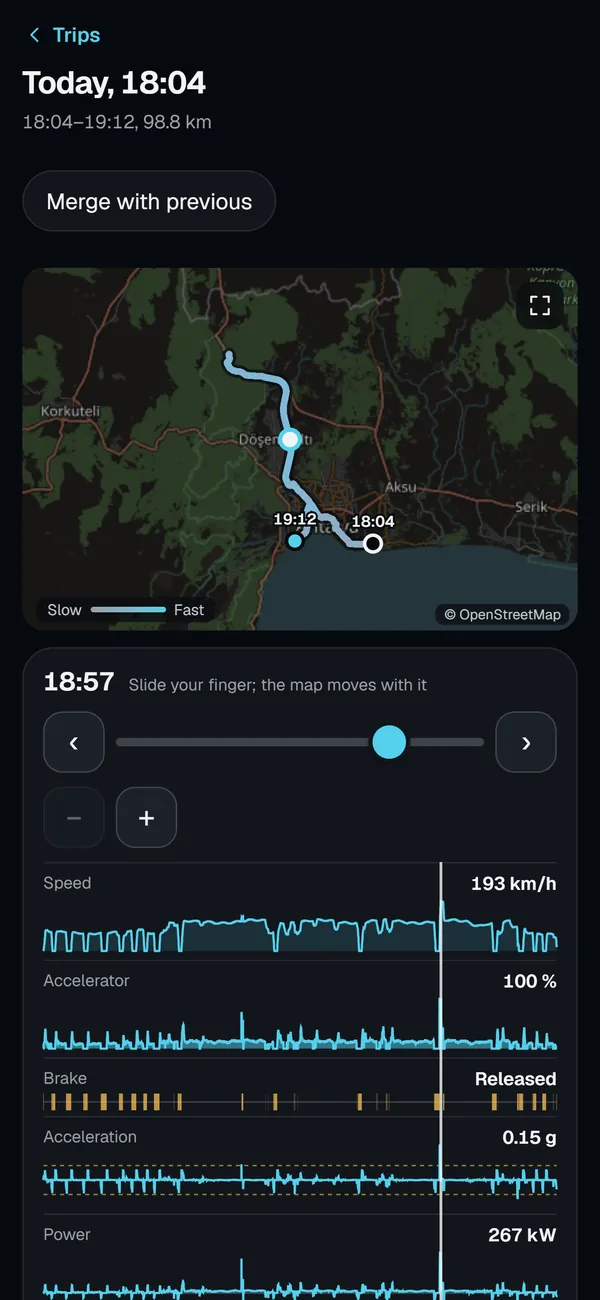
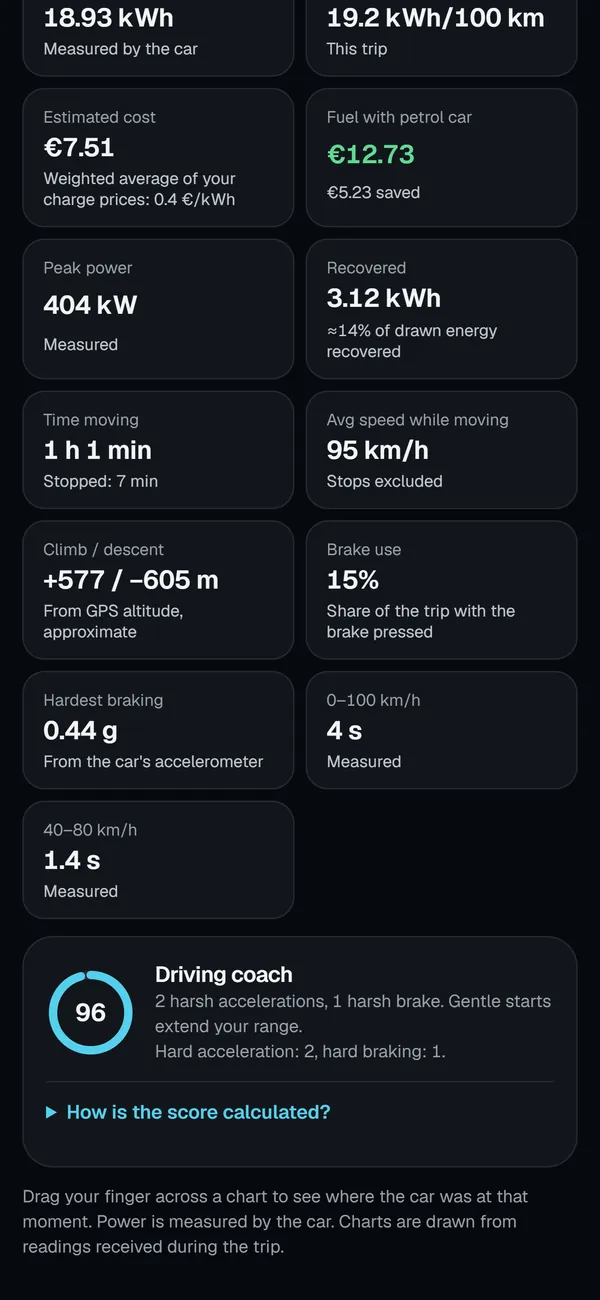
Every trip is saved with a map coloured by speed. Speed, throttle and brake, power, altitude and battery share one timeline, and 0–100 and 40–80 times are measured. Each trip gets a driving score and a short tip. Trip computer
Ranking
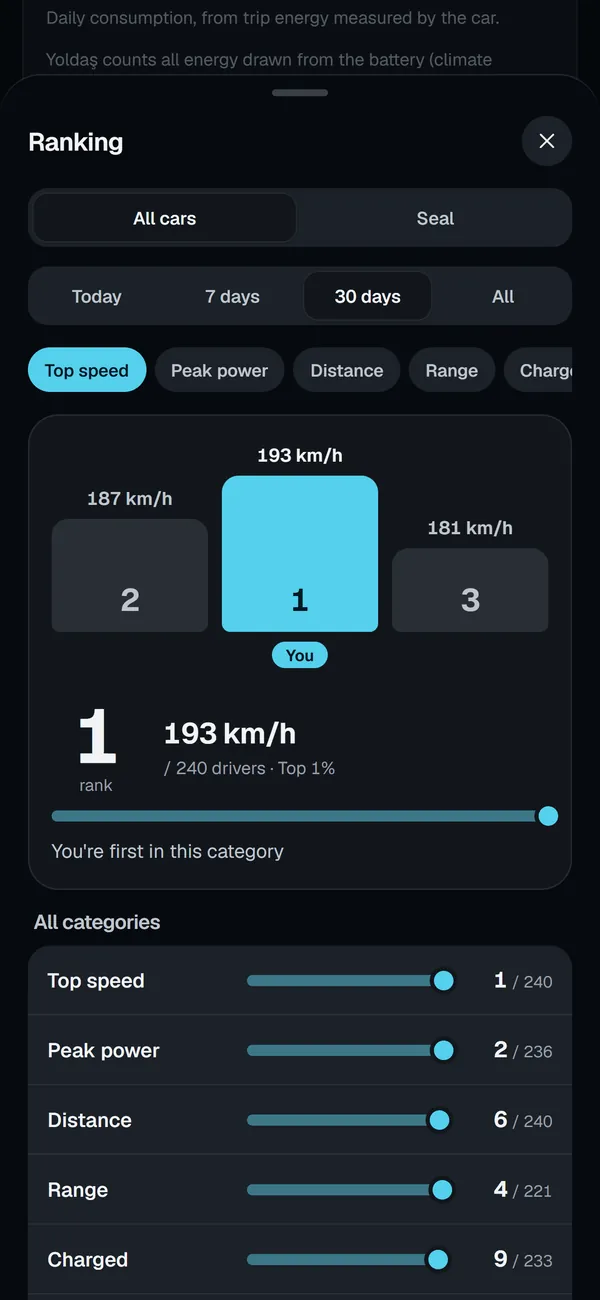
See where you stand on top speed, peak power, distance, range, charging and low consumption: today, over 7 days, 30 days or all time. Compare yourself with all cars or only with your own model. No names, plates or locations are shown.
Energy, charging and battery health
See how much energy you used, what it cost at your charging prices and how much you saved compared with a petrol car. While charging, live power, the charging curve and the time left are on your phone, with a summary when it ends. The battery report shows battery health, cell temperature and the 12 V battery. Charging and consumption
Automations and AI
Create, test and switch your automations on or off from your phone. Describe what you want in one sentence and AI builds the automation for you; you check it and save it. Automations
Car screen and clusters
Watch your car's centre screen live on your phone and control it by touch while the car is stationary. Send a cluster you designed in the workshop, or one you liked in the community, from your phone to your car. Car screen from your phone
12 looks
Choose the look of the phone app under Account › Look: Yoldaş, Classic, Combined, Car, Close, Command centre, One hand, Watch, Cards, Live panel, Daylight and Map. The data, commands and safety rules are the same in all of them; only the layout and navigation change.
Frequently asked questions
Is the Yoldaş phone app on the App Store or Google Play?
It doesn't need to be. Open app.yoldas.io on your phone and choose "Add to Home Screen"; it appears on your home screen with its own icon and opens full screen. On iPhone use Safari's Share menu, on Android the Chrome menu.
Do I need Yoldaş in the car to use the phone app?
Yes. The data and commands come from Yoldaş in your car. Install Yoldaş in your car first, then pair your phone with the QR code shown on the car screen.
Do lock and climate work from the phone when the car is off?
You can switch the climate on and off even when the car is off. When each command works, and its rules, are described on the remote control page.
Does my name or my car appear in the ranking?
No. The ranking shows no names, plates or locations; only values and positions.
Do notifications work on iPhone?
Yes. After adding the app to your home screen, allow notifications; you'll get alerts such as sentry detections, charge target reached and door left open.
Which languages does the phone app support?
The same 16 as Yoldaş in the car: Turkish, English, German, Dutch, Portuguese, Polish, Arabic, Korean, Spanish, French, Russian, Thai, Chinese, Malay, Indonesian and Azerbaijani.
Install Yoldaş in your car
Free during the pilot. Current version 0.15.33. See the steps in the install guide.