Control your BYD from your phone: windows, trunk, locks and A/C
With Yoldaş, you control your BYD's windows, trunk, locks and A/C from your phone. Every command is logged, and its result is confirmed by reading it back from the car.
Last updated: October 4, 2026
Which commands are available?
| Command | Details |
|---|---|
| Windows | Close all windows or open them to the vent position. Stop cancels at any time. |
| Trunk | Open and close. The speed is read from the car before the command; it is sent while the car is stopped. |
| Central locking | Lock and unlock. |
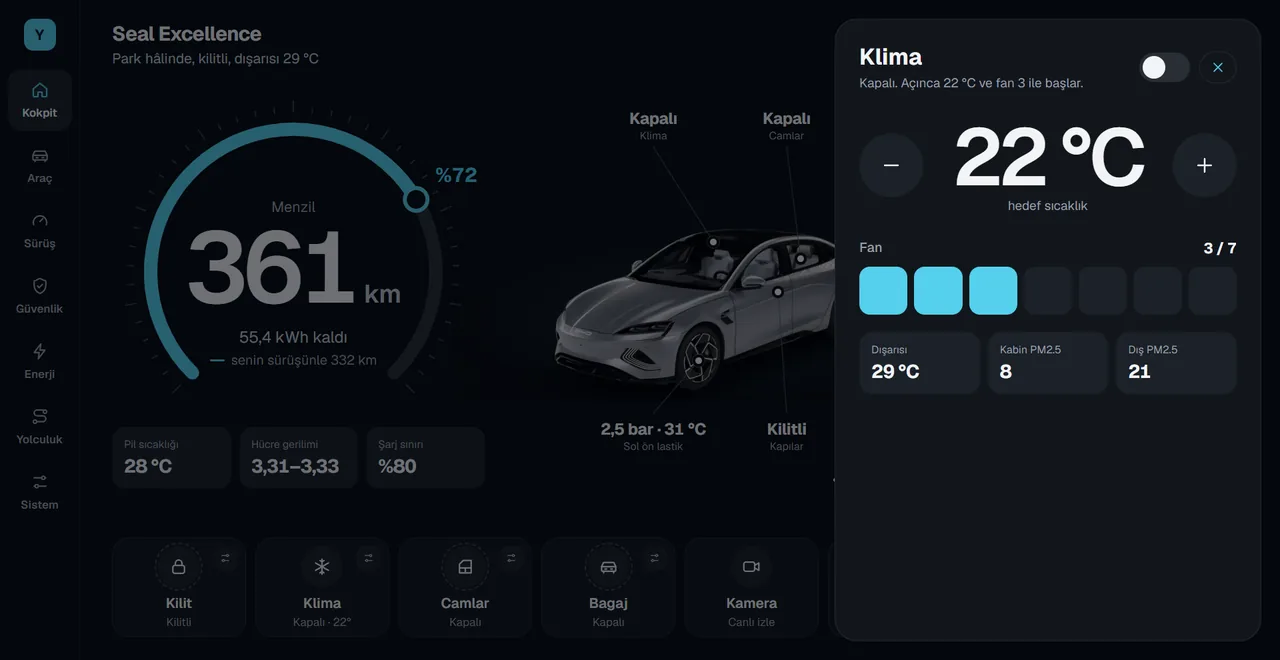
| A/C | On, off, temperature (17–33 °C) and fan (1–7). |
| Message to the car screen | A message of up to 140 characters appears on the car screen. |
| Automations | Start and stop an automation in the car from your phone. |
Security rules
- Owner only. Only the account that owns the car can send commands.
- Short-lived and single-use. Each command is valid for up to 60 seconds and can be used once.
- The result is read from the car. For example, whether the window really closed is read from the car and shown on your phone.
- Everything is logged. Commands you send and their results appear on your phone under My car › Recent activity.
- You hold the off switch. If System › Phone control is off in the car, no phone command works.
Yoldaş does not touch the brakes, steering or driver assistance systems. Commands are only sent from a short, approved list.
Quick controls on the car screen
The same controls are on the car screen too: the lock, A/C, windows, trunk, camera, Sentry, lights and charging buttons below the cockpit open with one tap.
Frequently asked questions
Can I control my BYD from my phone?
Yes. With Yoldaş, you can close or vent the windows, open and close the trunk, lock and unlock the car, and control the A/C.
Which A/C settings can I use from my phone?
You can turn the A/C on and off, set the temperature between 17 and 33 °C, and set the fan from level 1 to 7.
What happens if my phone is stolen?
Commands only come from the account that owns the car. Sign out of the phone app and change your password. In the car, turn off the System › Phone control switch to stop all phone commands.
Install Yoldaş in your car
Free during the pilot. Current version 0.10.2. See the steps in the install guide.