BYD launcher: design your own home screen with Yoldaş
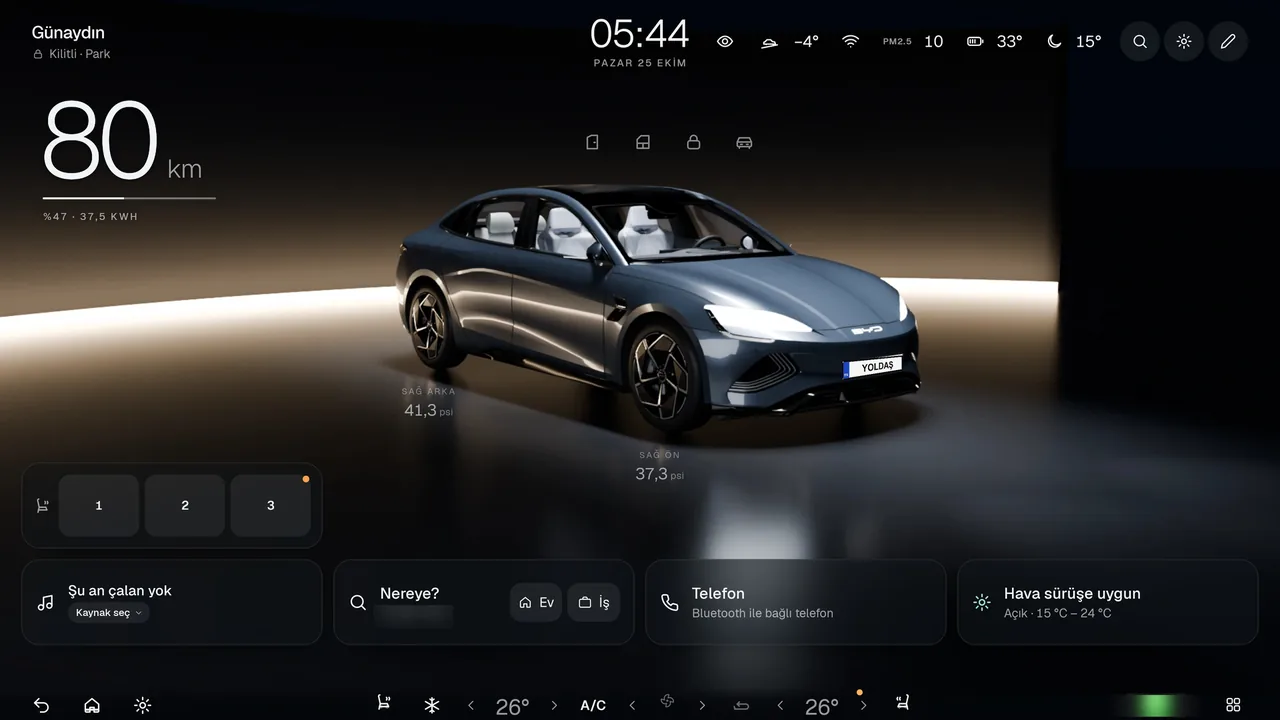
Yoldaş becomes your BYD's home screen. In the middle, your car in 3D that you turn with a finger; around it, the widgets you want; at the bottom, the Yoldaş bar with your own shortcuts. When you park, drive or charge, the screen changes to suit the moment.
Last updated: November 19, 2026
What is on the Yoldaş home screen?
- Your car in 3D: your own model and color in the middle of the home screen. You turn it with a finger; doors, windows, trunk and lights show the car's current state.
- Widgets: speed, range, energy summary, tire pressure, A/C, windows, lock, trunk, seat memory, music, weather and more. You drag them and resize them as you like; you can also show them without a card or a title.
- Top strip: time, outside temperature, gear, battery and range; you put each item on the left or the right.
- Yoldaş bottom bar: Back, Home, recent apps, split screen, A/C and your favorite apps. You move or remove any button. Bottom bar
- A/C window: temperature, fan, airflow direction, inside and outside air, defrost, SYNC, seat and steering wheel heating in one window.
- Day and night: the glass-look theme switches to night together with the BYD screen. It works on a portrait screen too.
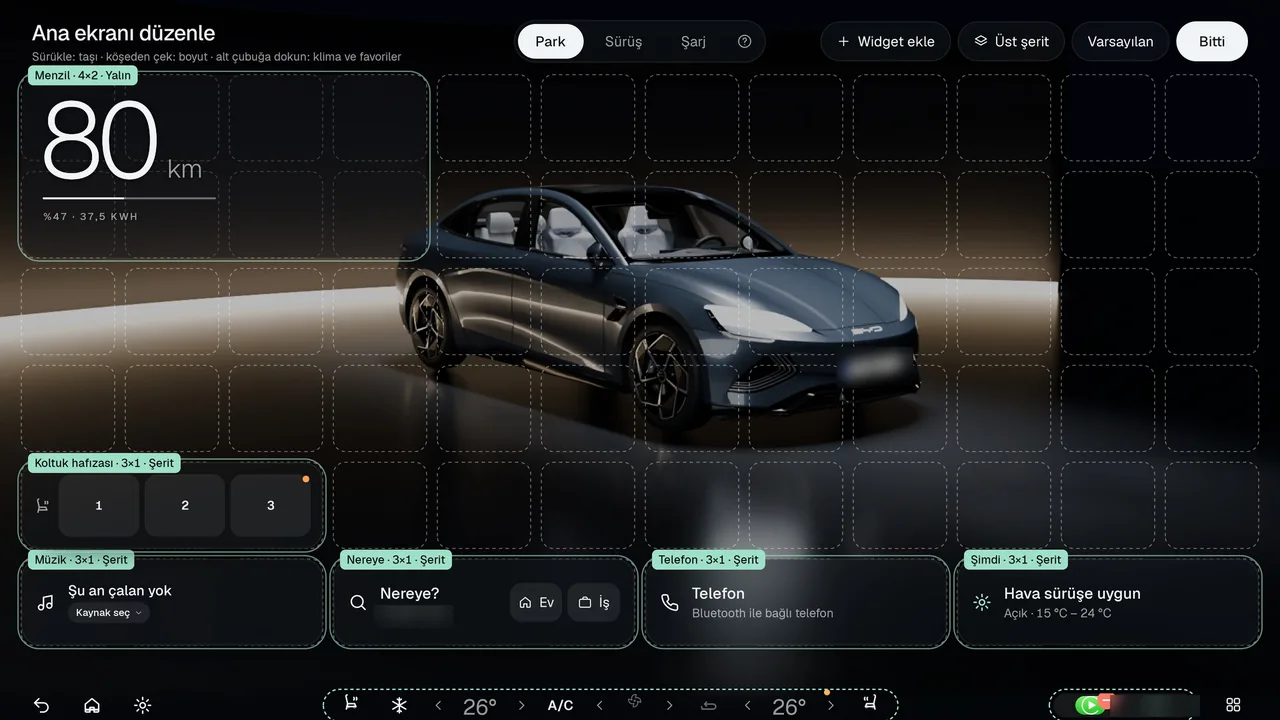
Separate layouts for parking, driving and charging
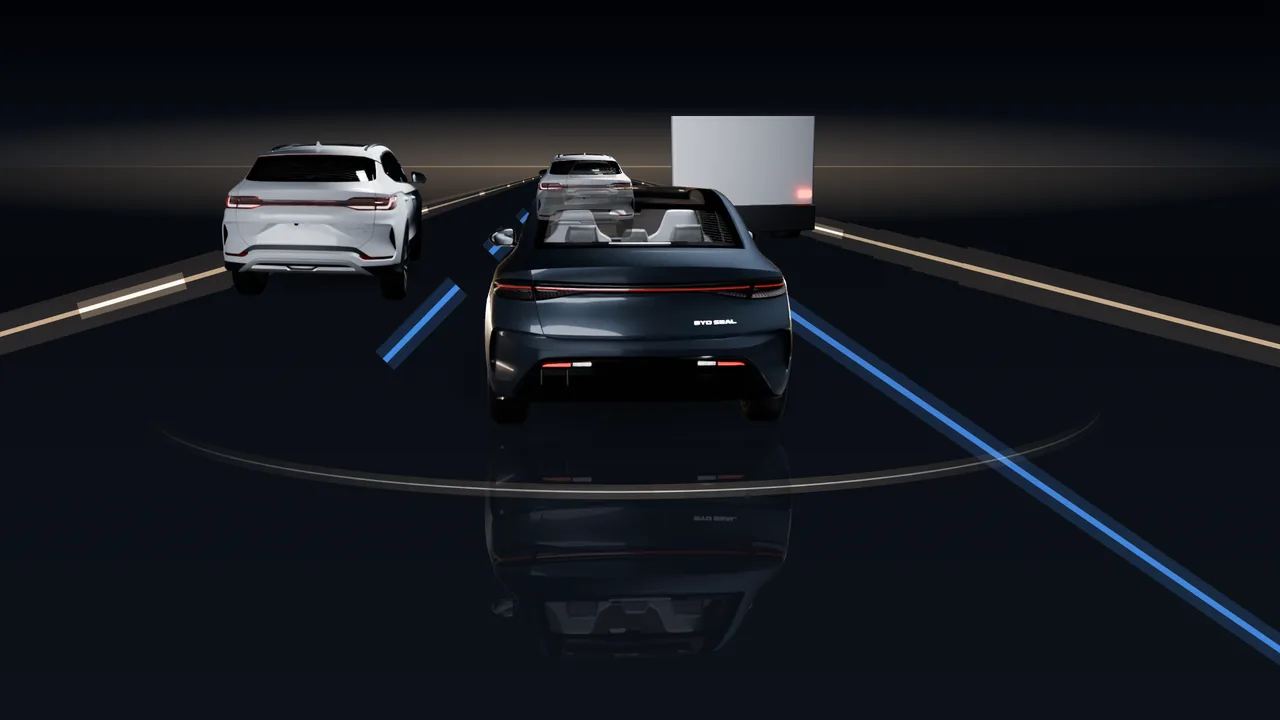
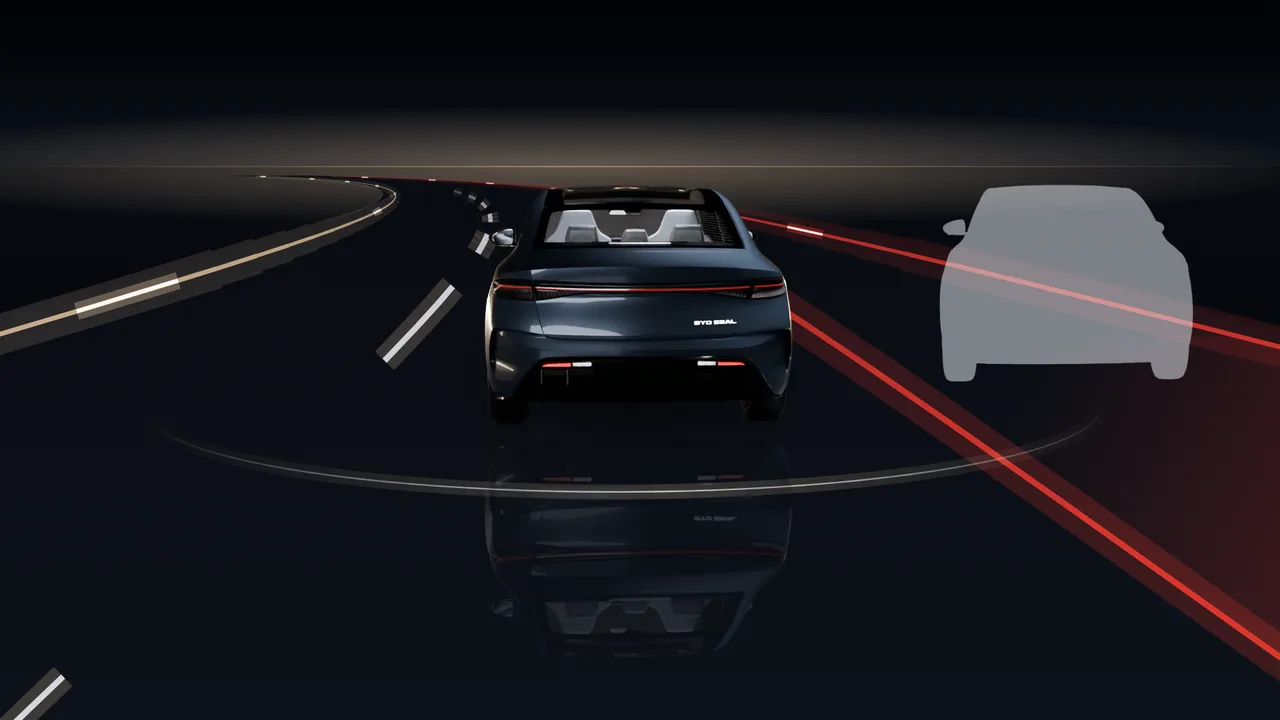
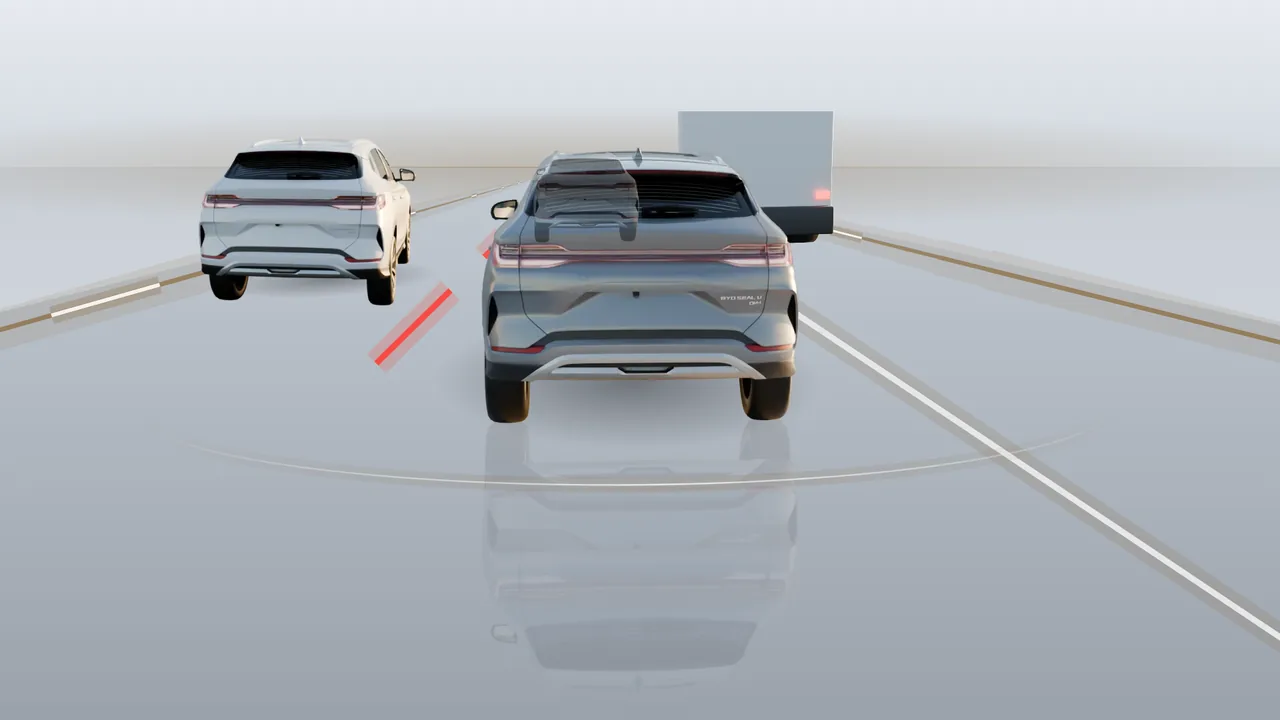
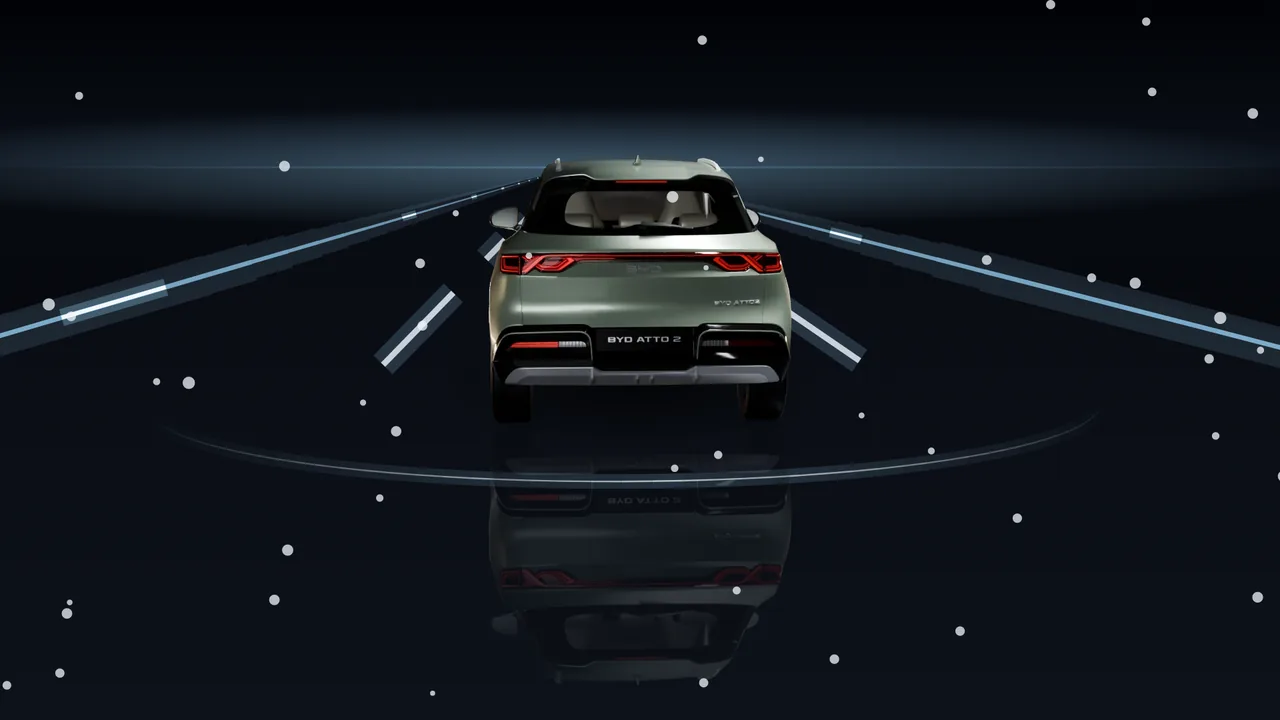
You set up a separate home screen for each situation. In P the parking layout comes up, when you shift into D the driving layout, and when you plug in the charging cable the charging layout, all on their own. While driving, the car settles onto the road in the "On the road" scene: the lanes flow past, the side with a blind spot warning lights up red, and the vehicles around you that your car detects appear.
Save a layout you like by name under Edit › Layouts › My saved layouts and restore it in one tap. You can also start from one of the ready-made layouts.
Split the screen
You divide the center screen into two or three panes: a map or CarPlay on one side, the Yoldaş home screen or music on the other. Drag the divider to change the ratio. Split screen
How to set it up
- Install Yoldaş
Open the APK on the car screen, or install it with a USB stick or from a computer with ADB. Install guide
- Make it the default home screen
Choose Yoldaş when Android asks. You can also choose it later from the "Make default" banner on the home screen or with the Yoldaş Home screen and bar switch in Settings.
- Edit it
Tap Edit on the home screen: add widgets, drag and resize them, and set up the top strip and the bottom bar the way you want.
Going back to the BYD screen
The choice is yours. When you turn off the Yoldaş Home screen and bar switch in Settings, BYD's own home screen and bar come back. Yoldaş's recording, Sentry, automation and phone features keep working.
Which cars?
BYD's DiLink 3 and DiLink 5 cars: Seal, Seal U EV, Seal U DM-i, Sealion 7, Atto 3, Atto 2, Dolphin, Han, Tang, Dolphin Surf, Seal 6 DM-i and Sealion 5 DM-i. The 3D car model downloads in your own model and color.
Your screen
Design your own screen and put every detail exactly where you want it
With Yoldaş you're never stuck with a ready-made screen. Drag and resize widgets, move each item in the top strip to the left or right or switch it off, fill the bottom bar with your own shortcuts and split the screen in two or three. Set up a separate screen for parking, driving and charging.
- Widgets
Speed, range, energy, tires, A/C, windows, lock, seat memory, music, weather, automations, CarPlay and more. Drag them anywhere and resize them from the corner.
- Top strip
Gear, battery, range, Sentry eye, slope, connections, PM2.5, cabin, battery and outside temperature: each one on the left, on the right or off. Four different styles.
- Bottom bar
Back, Home, recent apps, split screen, A/C and your favorite apps. Move buttons, remove them and add new ones.
- Split screen
Full screen, two or three panes, side by side or stacked. If you like, split it in D and go full screen in P.
- Parking, driving, charging
A separate layout for every situation, switching on its own with the gear and the charging cable. While you drive, your car hits the road in the “On the road” scene.
While driving
Shift into D and the screen hits the road
As you pull away, Yoldaş switches to the “On the road” scene: a car in your model and color drives down the road while the lanes flow past. If there is a vehicle in your blind spot, that side glows red; vehicles and pedestrians ahead that your car detects appear in the scene. Night, rain, snow and your driving mode show up in the scene too.
Frequently asked questions
Is there a launcher for BYD?
Yes. Yoldaş runs as the car's home screen (launcher) on BYD's DiLink multimedia screen. Yoldaş opens instead of BYD's own home screen, and one switch takes you back to the BYD screen whenever you like.
How do I make Yoldaş the default home screen?
The first time you open Yoldaş, Android asks once which app should be the default home screen; choose Yoldaş. Later you can also choose it from the "Make default" banner on the home screen or with the "Yoldaş Home screen and bar" switch in Settings.
How do I go back to BYD's own home screen?
Turn off the "Yoldaş Home screen and bar" switch in Settings. BYD's home screen and BYD's bar come back; Yoldaş's other features keep working.
Which widgets are there?
Speed, range, energy summary, consumption, power, charging, tire pressure, A/C, windows, lock, trunk, sunroof, seat memory, driving mode, rotate screen, music, weather, automation, CarPlay and Android Auto, app shortcut and more. You drag and resize each one.
Can I have separate screens for parking, driving and charging?
Yes. You set up a separate layout for each. When you shift into D, the driving layout comes up on its own; when you plug in the charging cable, the charging layout does. You can save your layouts by name and restore them in one tap.
Can I see my own car on the home screen?
Yes. Your car's 3D model sits on the home screen and you turn it with your finger. You choose the body color under Settings › My car › Body colour. Doors, windows and lights show the car's real state.
Does the Yoldaş home screen cost anything?
No. It is free during the pilot and has no ads.
Install Yoldaş in your car
Free during the pilot. Current version 0.15.33. See the steps in the install guide.